
Nitro PDF Pro 14 is your all-in-one solution to edit, convert, secure, fill, and sign PDF documents. It introduces powerful accessibility features designed to empower every user and organization.
📥 Step 1: Download & Install
Click the official link below to download the Nitro PDF Pro 14 installer:
👉 Download Nitro PDF Pro 14 (Retail)
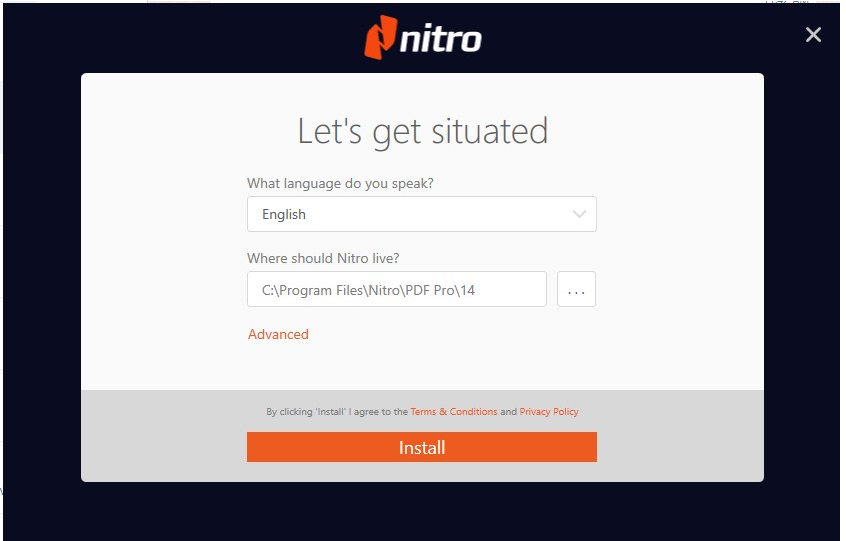
Open your download folder and run the installer.
Follow the on-screen instructions to complete the installation.
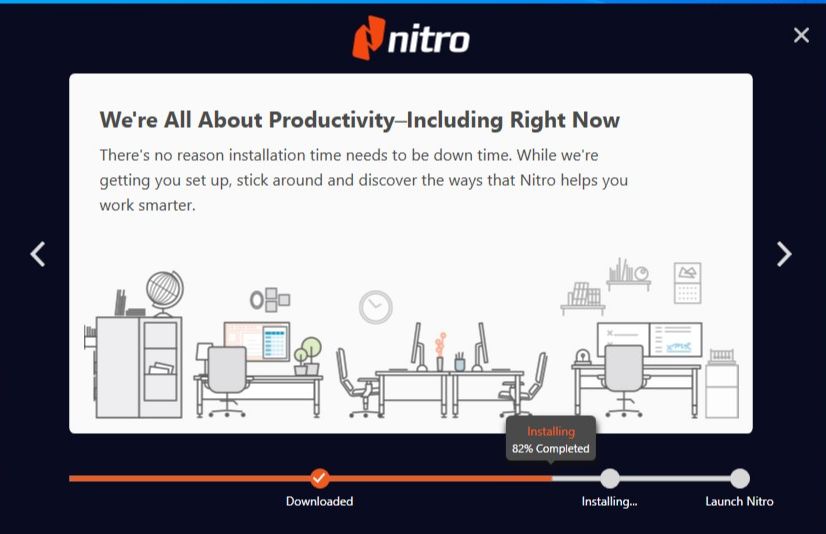
3. Once finished, you will have a 14-day trial version ready for activation.
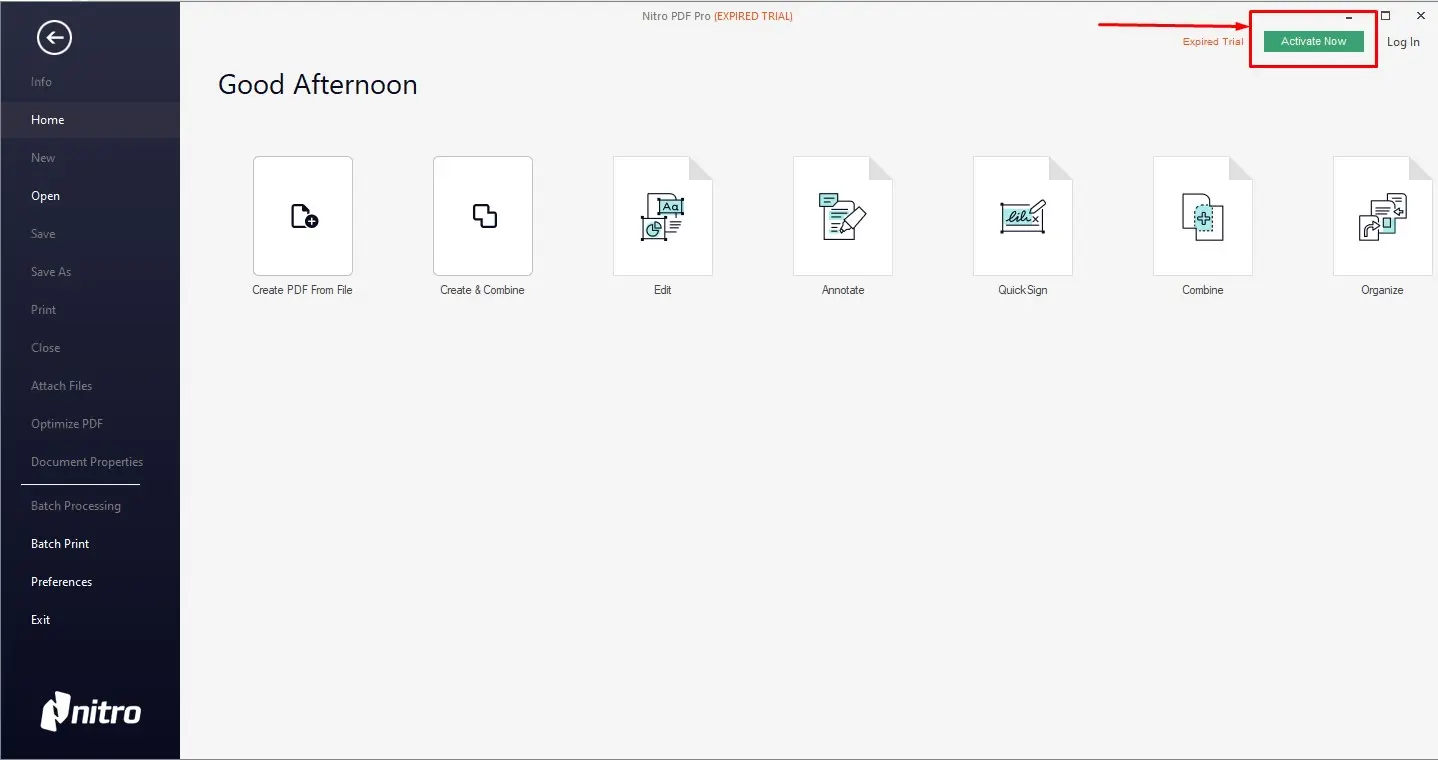
🔑 Step 2: Purchase Your Lifetime Key
If you haven’t purchased your license yet, you can get your Lifetime Digital Key here:
👉 Buy Nitro Pro 14 at Hex Technology
🛠️ Step 3: Activation Guide
(Manual Method)
After receiving your product key, follow these steps to activate your software permanently:
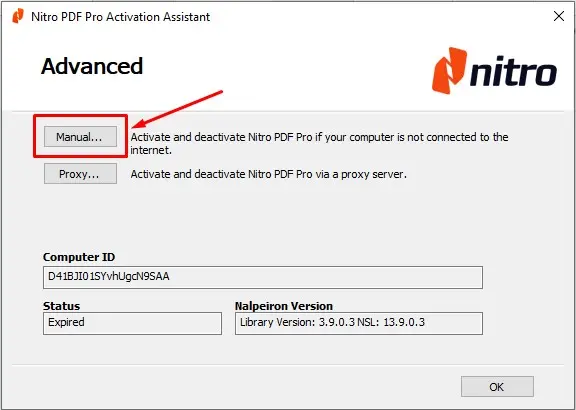
1. Click on Activate and select the Advanced option.
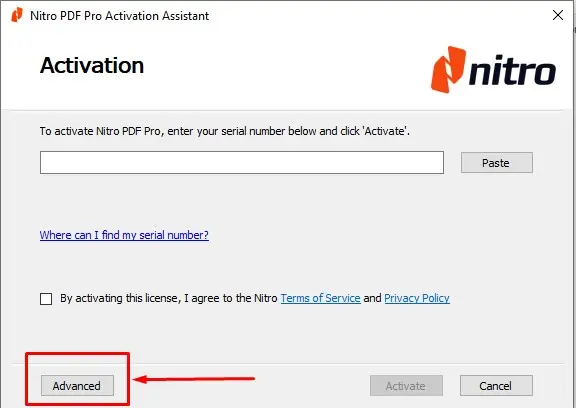
2. Choose Manual activation and click OK.
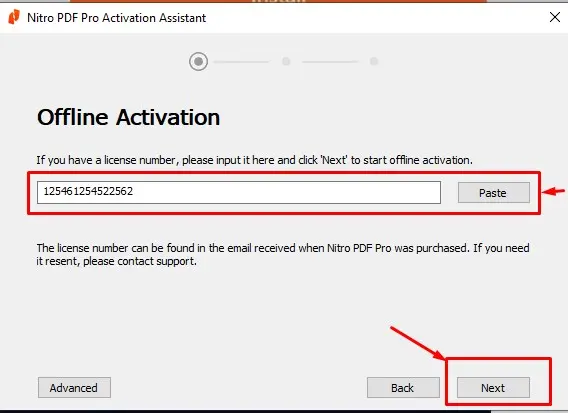
3. Paste your Product Key into the box and click Next.
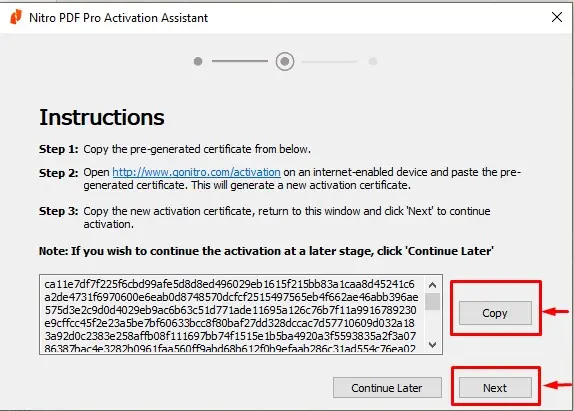
4. Generate Certificate: Copy the "Installation ID" or "Pre-generated Certificate" shown in the box and send it to us.
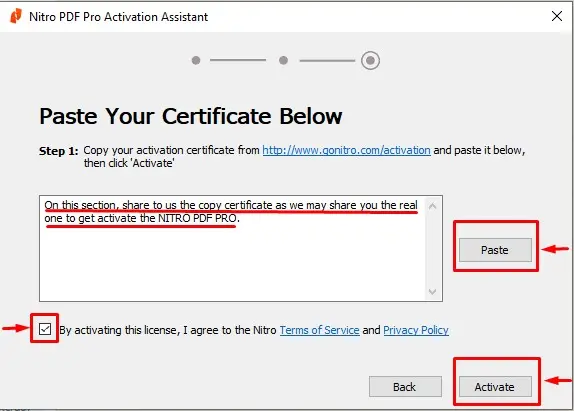
5. Final Step: Once we send you the activation certificate, paste it into the designated box and click Activate. Your Nitro Pro is now active for a lifetime!
⚠️ Important Licensing Note :
One-Time Activation: The product key is for a single-use activation on one device.
Format Policy: If the device is formatted, the product key cannot be reused, even though it provides a lifetime license for the current installation.
Need assistance with professional software setup?
Setting up advanced tools like Nitro PDF Pro 14 can sometimes be complicated. If you are an individual or a business in Bahrain and need reliable software installation or IT troubleshooting, Hex Tech is here to help.
Reach out to us today for professional IT support and software solutions!