
For data recovery specialists and hardware enthusiasts, identifying the WD Marvel Family is crucial for successful PCB swapping or Head Replacement. The key to this identification lies in the Series Code found within the model number.
🔍 How to Locate the Series Code?
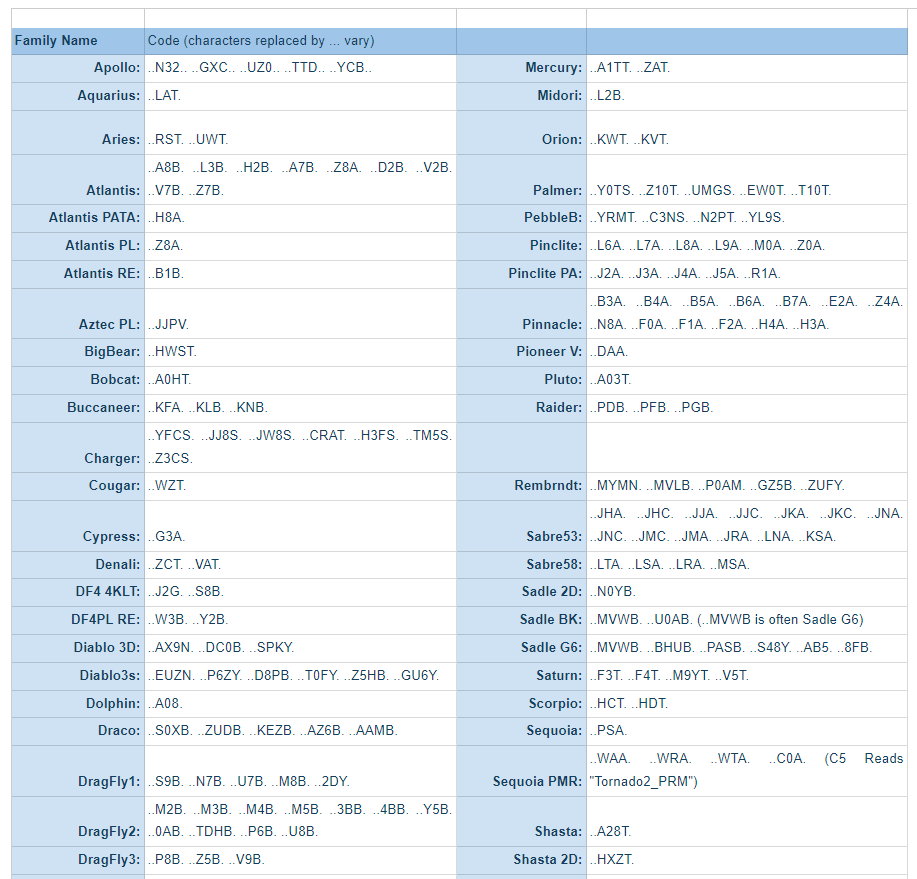
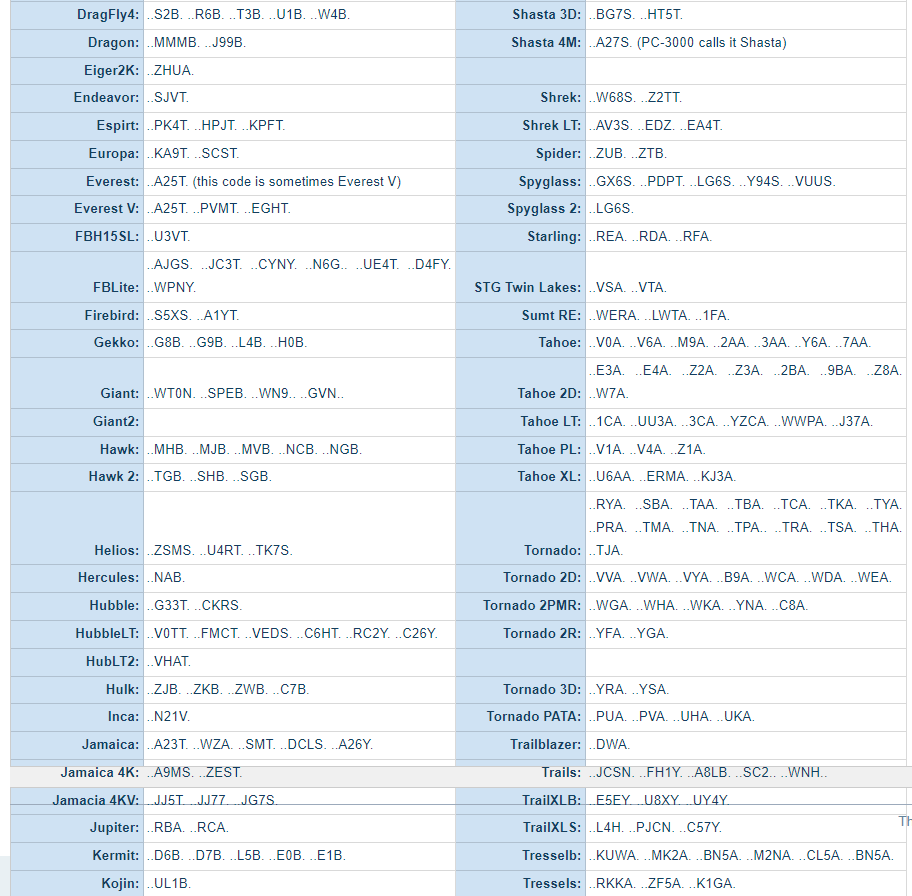
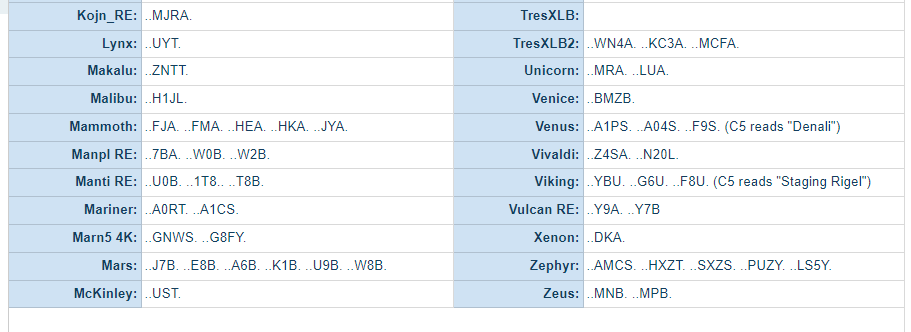
The series code is located in the second part of the model number, immediately after the hyphen (-). Specifically, it consists of the 3rd, 4th, and 5th characters of that section.
Example Case: If your hard drive model is: WD5000AAKS-00**V6A**0
The Dash Section: 00V6A0
The Series Code: V6A
The Family: This code identifies the drive as part of the Tahoe Family.
💡 Why Is This Code Important?
Knowing the exact family of a Western Digital drive is essential for:
Head Replacement: Finding a compatible donor drive with the same internal architecture.
PCB Swapping: Ensuring the replacement board is compatible with the drive’s MCU and firmware structure.
Firmware Repair: Using the correct family settings in professional data recovery tools like PC-3000.
💡 Hex Technology Tip:
Always verify the "DCM" and "DCX" codes on the label as well, as they provide additional layers of compatibility information for precision head swaps.
✅Precision Identification for Successful WD Recovery
Identifying the exact family and series of a Western Digital hard drive is the first and most crucial step in a successful recovery mission. At Hex Technology, we utilize advanced diagnostic tools and a deep understanding of WD’s unique architecture to ensure the highest success rates for our clients. Before you risk using incompatible parts or software on your failing drive, let our experts in Bahrain provide a professional evaluation.
Visit us today for a seamless technical experience, and let our team apply their specialized expertise to decode your drive’s issues and recover your vital data safely.