
Struggling with a failed Toshiba USB Hard Drive?
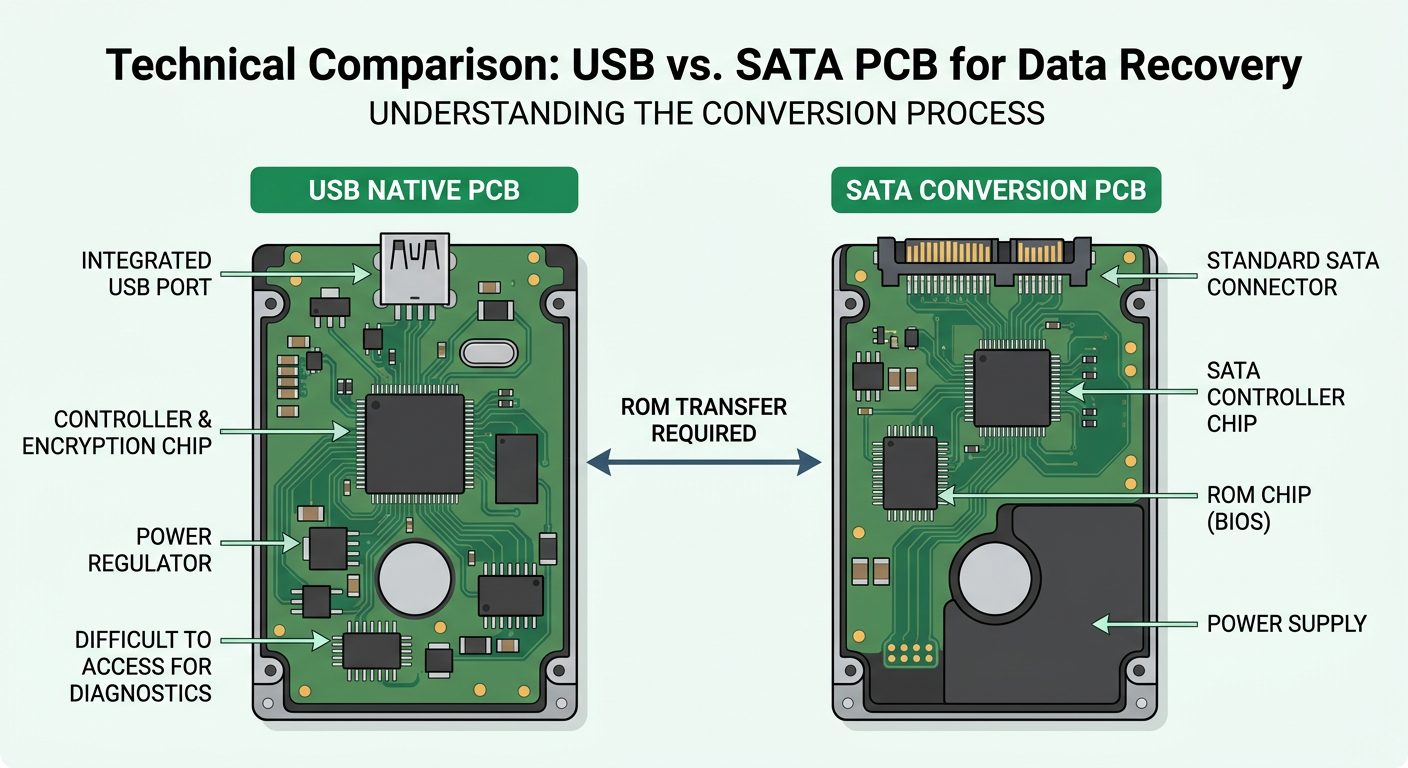
For professional data recovery, converting the native USB interface to a SATA interface is often necessary to bypass controller encryption or fix firmware issues. Below is our comprehensive Compatibility & Part Number Reference Guide to help you find the right matching SATA board.
📋 Compatible USB to SATA Converter Boards
Use this table to identify the correct SATA replacement board for your original Toshiba USB PCB:
| Original USB Part Number | Compatible SATA Replacement(s) |
| G3448A | G003235B, G003235C |
| G003309A | G003235B, G003235C |
| G003296A | G003138A, G003235C |
| G003250A | G003138A |
| G003054A | G002825A |
| G3959A | G3918A |
| G003189A | G003138A |
| G4330A | G4311A |
| G0034A | G4311A |
| G0039A | G4311A |
| G3711A | G003235C |
💡 Why Perform a USB to SATA Conversion?
In many Toshiba external drives, the USB connector is soldered directly to the PCB. Converting to SATA allows data recovery specialists to:
Access Firmware: Communicate with the drive via professional tools (like PC-3000).
Stable Connection: Avoid disconnection issues caused by faulty USB ports.
Hardware Encryption: Work directly with the drive's data sectors.
🛠️ Expert Tips for Successful Conversion:
ROM Transfer: Remember that in most cases, you must transfer the BIOS/ROM chip from the original USB board to the compatible SATA board for the drive to be recognized.
Precision Soldering: Ensure clean solder joints when moving the ROM chip or soldering SATA wires.
📞 Technical Support & Parts Supply (Bahrain)
Need help identifying the right board or looking for specific Toshiba PCB replacements?
Hex Technology provides expert advice and reliable hardware for data recovery professionals.
📍 Location: Isa Town, Bahrain.
📱 WhatsApp: +973 33217825
🌐 Visit us: hex.technology