
Activating your Microsoft Office digital key is a straightforward process. Depending on the type of license you purchased, there are several ways to activate your software: binding it to your email address, online activation, or Telephone Activation.
If your license requires telephone activation, follow these simple steps to get your Office suite running:
Step 1: Enter Your Product Key
Once you install Microsoft Office, enter your digital product key. If the system requires manual verification, select the option: "I want to activate the software by telephone."
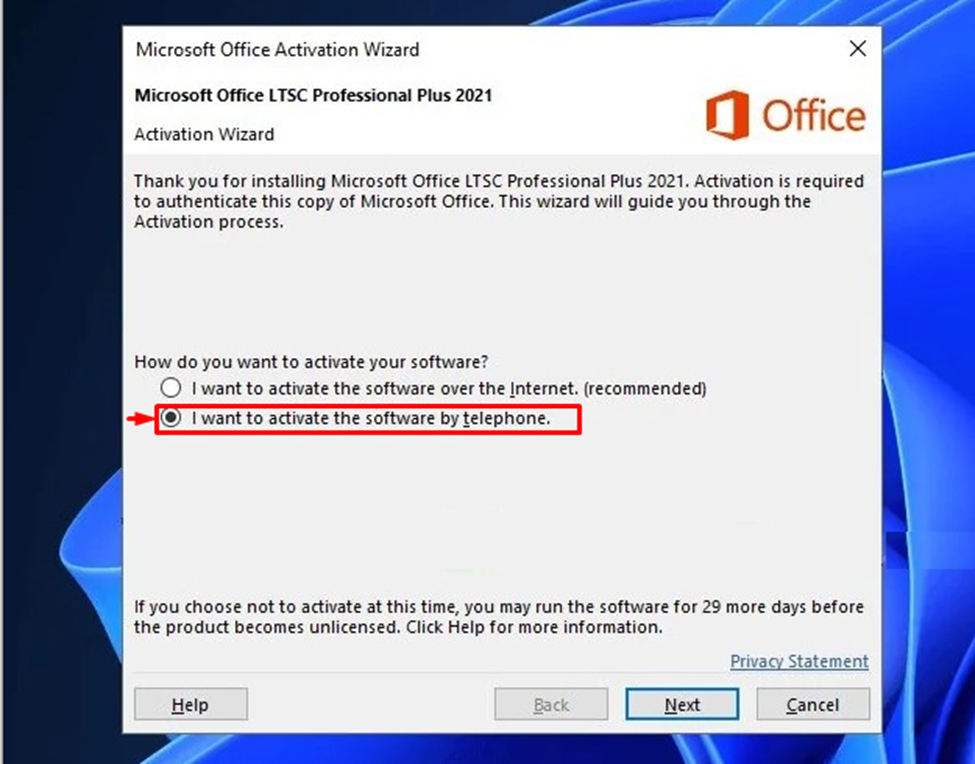
Step 2: Generate the Installation ID
After clicking "Next," the activation wizard will display a series of numbers known as the Installation ID (IID).
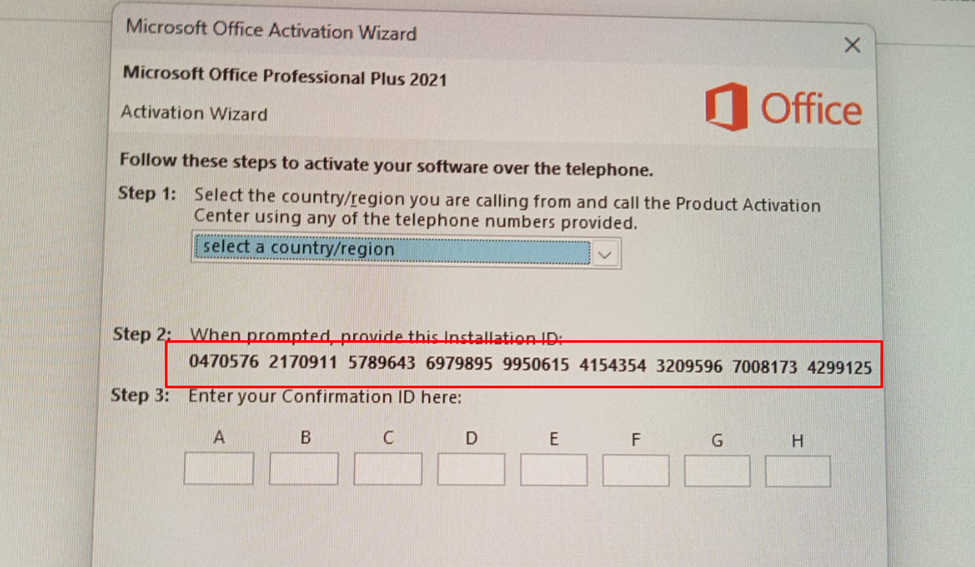
Step 3: Share the Details with Us
To complete the process, please send us a clear photo of these numbers or type them out manually. Our team will process this ID to obtain your unique Confirmation ID.
Step 4: Enter the Confirmation ID
Once we provide you with the Confirmation ID (e.g., 466541-886713...), simply enter it into the empty boxes in the activation wizard.

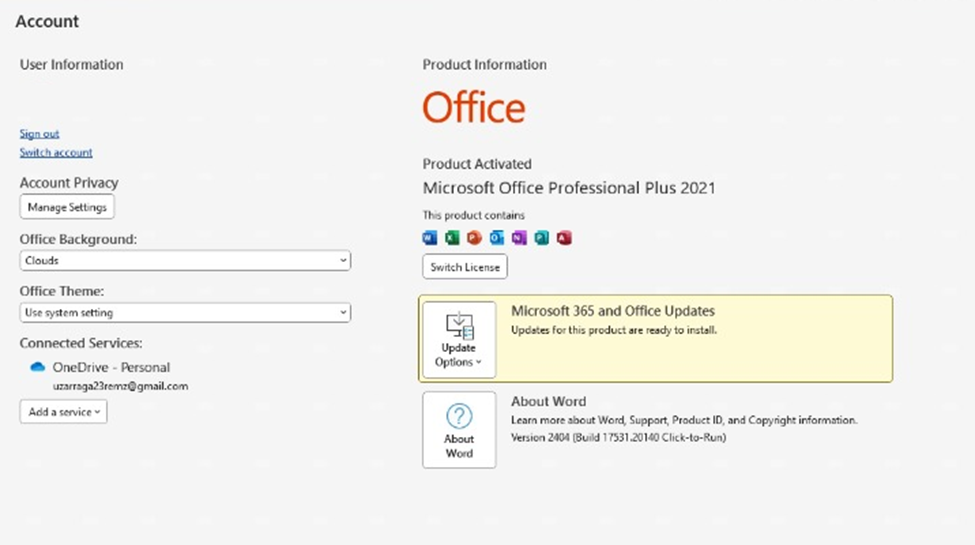
Congratulations! Your Microsoft Office Professional Plus 2021 is now fully activated and ready for use.
Get Your Software Running Smoothly with Hex Technology ..
Activating Microsoft Office via telephone can sometimes be a complex task, but you don’t have to struggle with technical hurdles alone. At Hex Technology, we provide professional software support to ensure your system is genuine and fully operational. Before you assume a product key is faulty, let our experts check it for you; we use advanced diagnostic tools to handle errors that standard methods often miss.
Visit us in Bahrain today for a seamless technical experience, and let our team help you maintain a stable and secure digital workspace.