
تخطي للذهاب إلى المحتوى
  • الْعَرَبيّة English (US)
Data Recovery - Hex Tech
  • 0
    عربة تسوقي
  • تسجيل الدخول
  • الرئيسية
  • متجرنا
  • خدماتنا
    • الخدمات
    • الدعم الفني عن بُعد
    • إصلاح البرمجيات - الأجهزة
    • فتح الهاتف
  • Donor Drives
  • قدّم حالتك!
  • المدونة
  • معلومات عنّا!
    • معلومات عنا
  • مساعدة
    • قدّم تذكرة
Data Recovery - Hex Tech
  • 0
    • الرئيسية
    • متجرنا
    • خدماتنا
      • الخدمات
      • الدعم الفني عن بُعد
      • إصلاح البرمجيات - الأجهزة
      • فتح الهاتف
    • Donor Drives
    • قدّم حالتك!
    • المدونة
    • معلومات عنّا!
      • معلومات عنا
    • مساعدة
      • قدّم تذكرة
  • الْعَرَبيّة English (US)
  • تسجيل الدخول

Hearing a Ticking Sound?

Your Data Might Be at Risk
  • كافة المدونات
  • Support
  • Hearing a Ticking Sound?
  • 15 يونيو 2024 بواسطة
    Hearing a Ticking Sound?
    Hex Technology
    لا توجد تعليقات بعد

    ​

    ​A "ticking" or "clicking" noise from your internal or external hard drive is a critical warning sign of mechanical failure, often referred to in the tech world as the "Click of Death."

    Why You Shouldn't Ignore It

    Many users overlook these noises because they might come and go. However, ignoring this sound can lead to permanent data loss. Since we rely on hard drives to store our most valuable personal and professional data, understanding the severity of this issue is vital.


    What Causes the Ticking Sound?

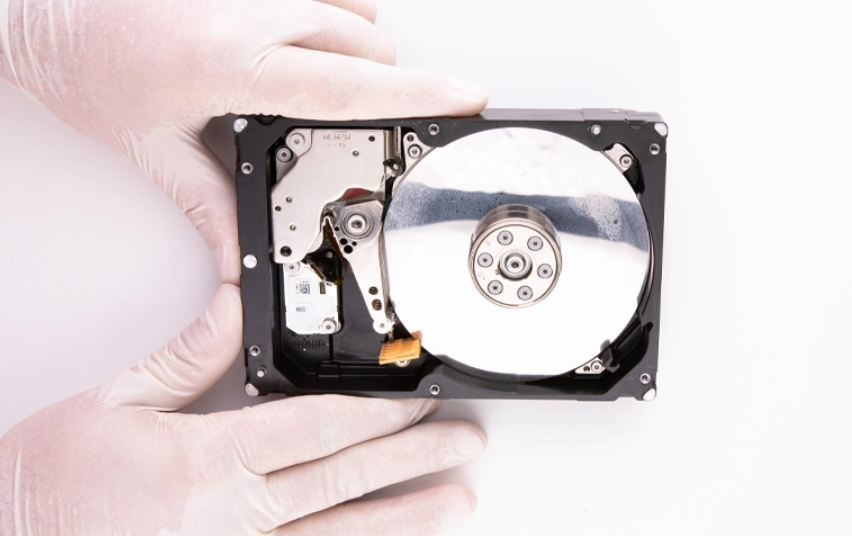
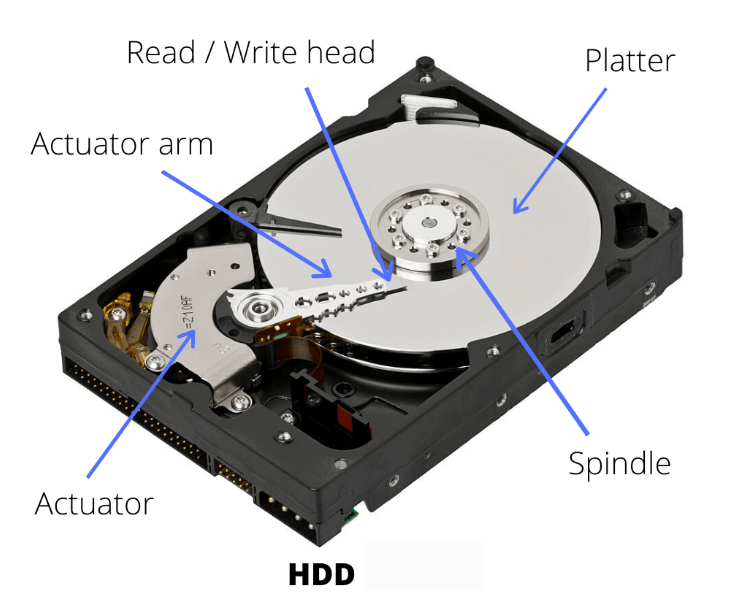
    This sound occurs when the read/write heads fail to position themselves correctly. Instead of gliding smoothly, they snap back and forth, often scratching the magnetic platters where your data is stored. Common causes include:

    • Physical drops or impacts.

    • Sudden power surges or improper shutdowns.

    • General wear and tear (aging of the drive).


    Critical Action Steps:

    1. Power Down Immediately: The moment you hear a ticking sound, stop using the drive. The longer it runs, the more the heads will damage the platters, making data recovery impossible.

    2. Avoid DIY Fixes: Never attempt to open the hard drive casing. Even a single speck of dust can ruin the disk permanently.

    3. Seek Professional Help: Take the drive directly to a Data Recovery Center. Professionals use "Clean Rooms" to safely diagnose the drive and rescue your important files.

    في Support
    Hearing a Ticking Sound?
    Hex Technology 15 يونيو 2024
    مدوناتنا
    • ​Software
    • Support
    • Tips and Tricks
    • Repair
    • New
    • Data Recovery
    • السفر
    تسجيل الدخول حتى تترك تعليقاً
    روابط مفيدة ..
    • الرئيسية
    • منتجاتنا
    • خدماتنا
    • الشروط والأحكام
    تواصلوا معنا ..
    • للتواصل ..
    • info@hex.technology
    • +973 33217825
    • 📍   https://maps.app.goo.gl/UMda5YMLWfqVYQTN8

    تابعنا
    Copyright © Hex Technology
    الْعَرَبيّة | English (US)
    مشغل بواسطة أودو - Hex Technology Data Recovery Bahrain