
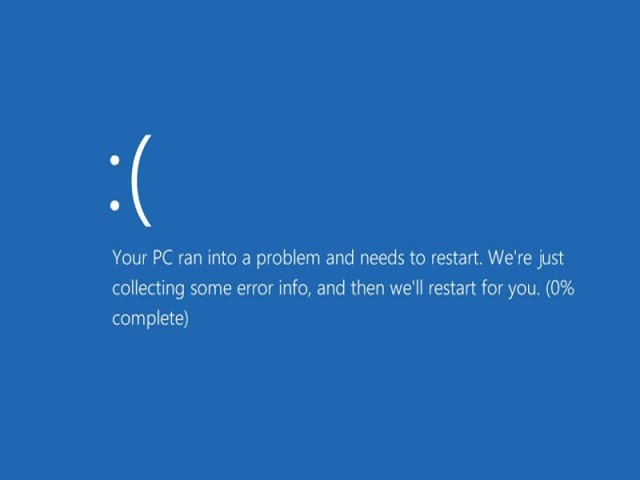
We rely on our laptops for everything—from professional work to academic studies. But what happens when your device suddenly fails, showing a "Blue Screen of Error" or a continuous loading loop? Usually, this indicates a failing Hard Drive (HDD) or SSD.
🔍 The Hidden Barrier: BitLocker Encryption
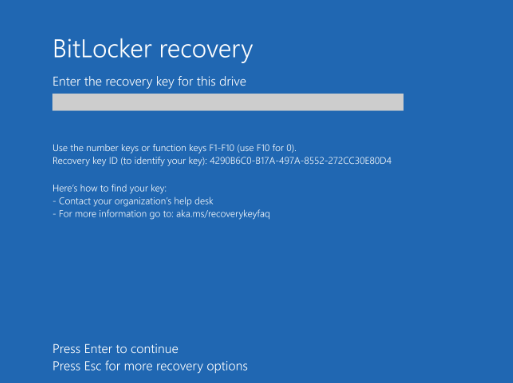
When a laptop’s hardware starts to fail, a security feature called BitLocker often kicks in to protect your data. While this is great for security, it becomes a major challenge during data recovery if you don’t have the 48-digit recovery key.
🛠️ The Professional Recovery Process
If your laptop won't boot, the first instinct might be to "repair" the Windows installation. Stop! If the hard drive is physically failing, any repair attempt could permanently erase your files.
How we handle your case at Hex Technology:
Hardware Diagnosis: We extract the drive and check for physical "Bad Sectors" or mechanical failure.
Encryption Handling: If the drive is healthy enough to read, we will encounter the BitLocker lock. This is where your recovery key is essential.
Data Extraction: Once the key is provided, we bypass the lock and extract your valuable data to a secure, healthy drive.
🔑 Where is my BitLocker Key?
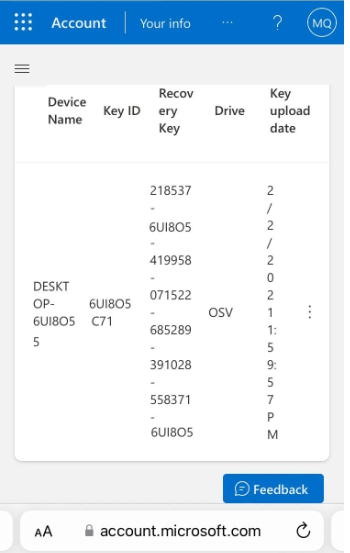
Many users are unaware that BitLocker is active on their laptops. If your device is asking for a key you don't remember setting up, it is likely stored in your Microsoft Account.
💡 Need help finding your key? Read our detailed guide here: How to find Bitlocker Recovery Key
✅ What the Final Result Looks Like
Once you provide the correct key, our engineers can unlock the partition. We ensure that:
Your files (Documents, Photos, Videos) are recovered intact.
The faulty drive is replaced with a high-speed SSD.
Your laptop is returned working perfectly, with your data safely restored.
📞 Get Back Your Files from Encrypted Systems
Facing a blue screen on a BitLocker-encrypted laptop can be a stressful experience, especially when your critical files are on the line. At Hex Technology, we specialize in navigating these complex encryption challenges, using advanced diagnostic tools to safely evaluate your drive and explore recovery pathways. Before you attempt a system reset or risk permanent data loss, let our experts in Bahrain assess your situation.
Visit us today for a professional and seamless experience, and let our team provide the specialized expertise needed to help you recover your data from a locked or failing system.
Location: Isa Town, Bahrain.
WhatsApp: +973 33217825