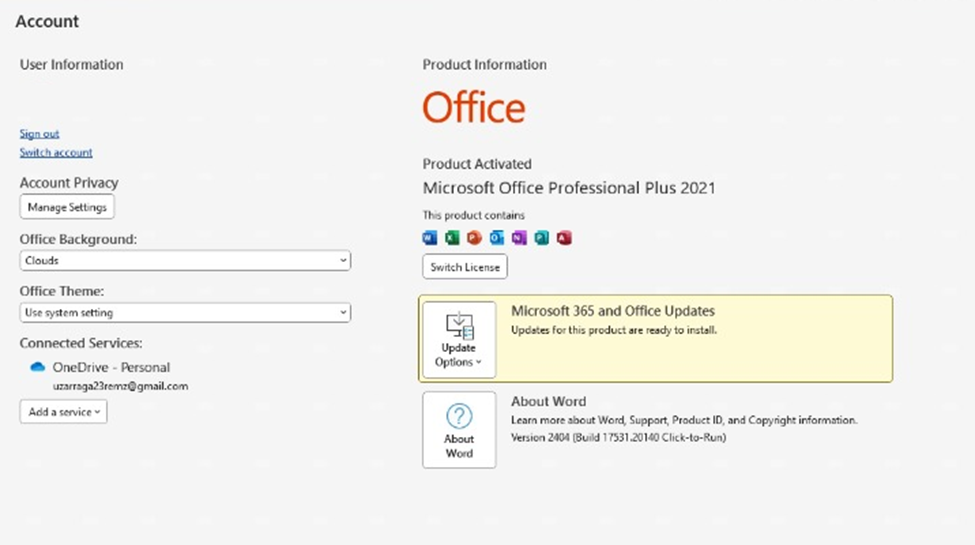
Activating your Microsoft Office digital key is a straightforward process. Depending on the type of license you purchased, there are several ways to activate your software: binding it to your email address, online activation, or Telephone Activation.
If your license requires telephone activation, follow these simple steps to get your Office suite running:
Step 1: Enter Your Product Key
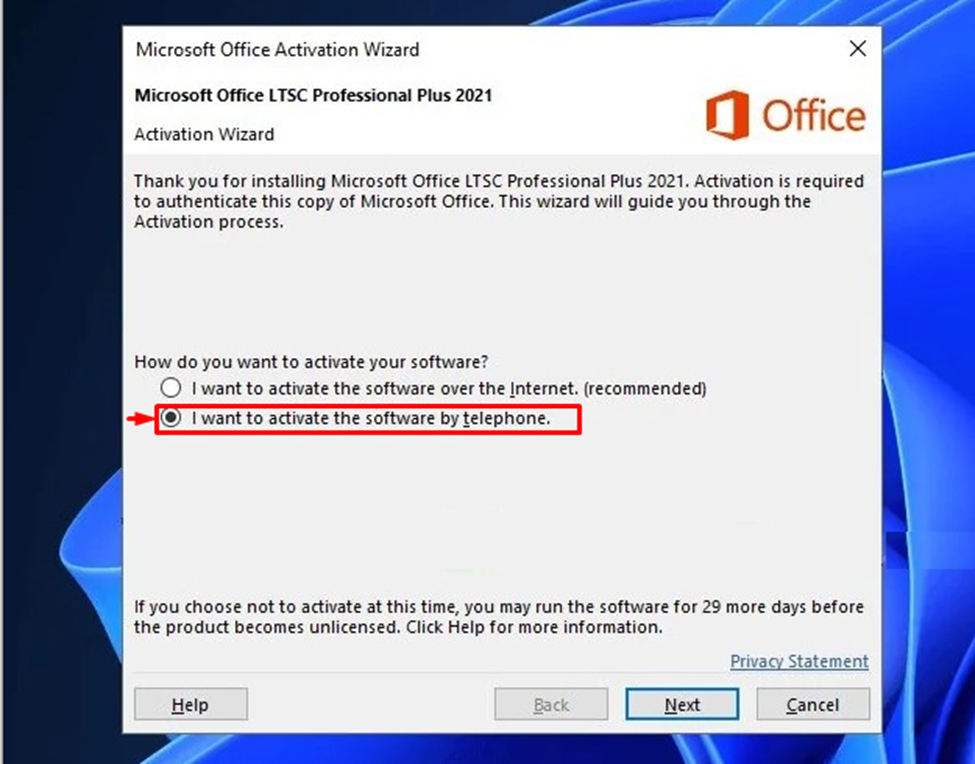
Once you install Microsoft Office, enter your digital product key. If the system requires manual verification, select the option: "I want to activate the software by telephone."
Step 2: Generate the Installation ID
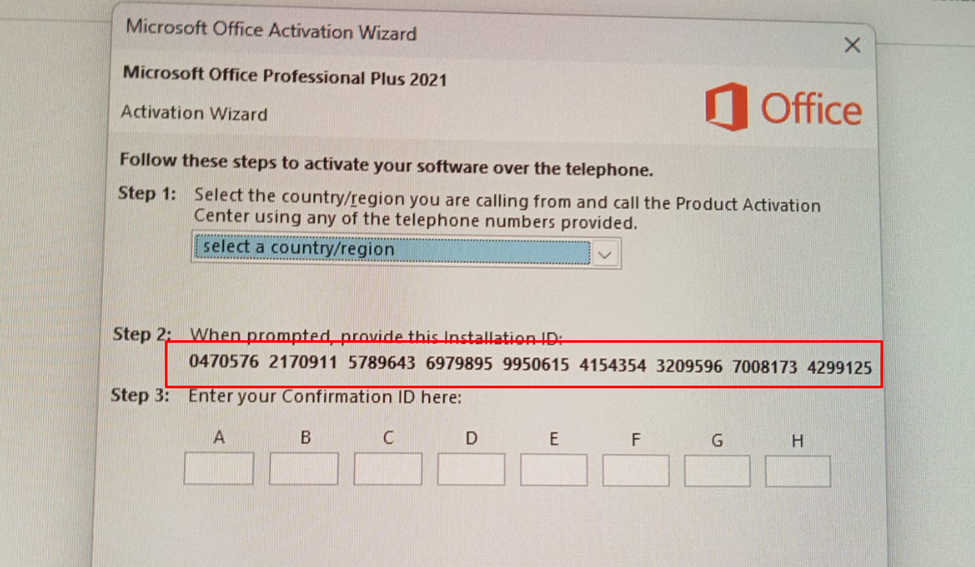
After clicking "Next," the activation wizard will display a series of numbers known as the Installation ID (IID).
Step 3: Share the Details with Us
To complete the process, please send us a clear photo of these numbers or type them out manually. Our team will process this ID to obtain your unique Confirmation ID.
Step 4: Enter the Confirmation ID
Once we provide you with the Confirmation ID (e.g., 466541-886713...), simply enter it into the empty boxes in the activation wizard.

Congratulations! Your Microsoft Office Professional Plus 2021 is now fully activated and ready for use.