
حل مشكلة الكتابة بالعربية في أدوبي كريتيف كلاود
If you are a designer working with Arabic or any Right-to-Left (RTL) language, you’ve likely encountered the "disconnected letters" or "reversed text" glitch. This happens because the Middle Eastern features are not enabled by default.
In this guide, we will show you how to fix this across all Adobe Creative Cloud apps, using InDesign and Illustrator as primary examples.
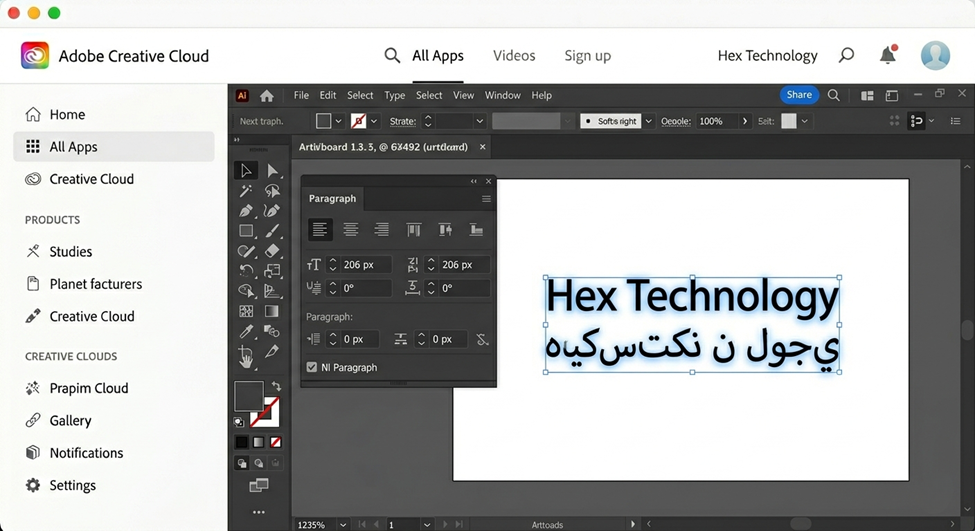
1. The Core Solution: Creative Cloud Global Settings
Before tweaking settings inside the programs, you must ensure that your Adobe Creative Cloud suite is set to support Middle Eastern features. This step applies to all Adobe software.
- Open Creative Cloud Desktop App: Click on your profile icon and select Preferences.
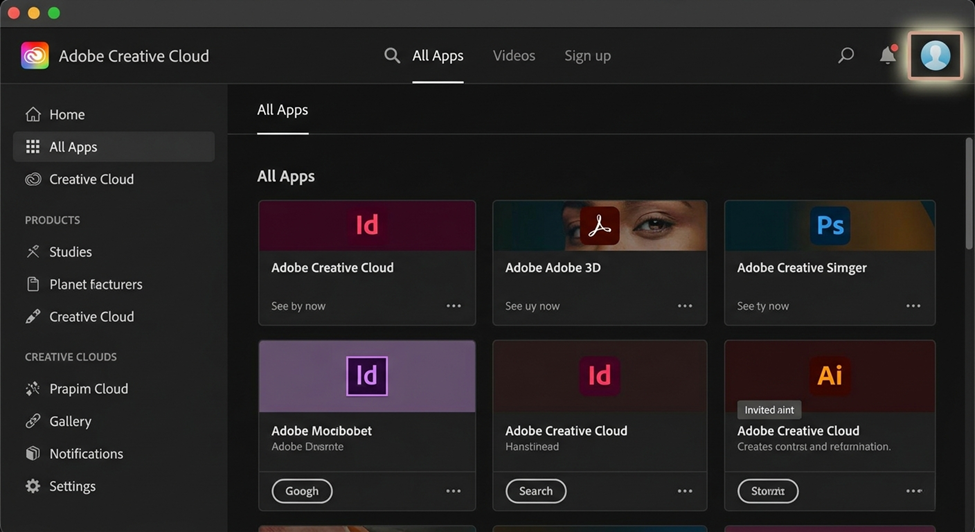
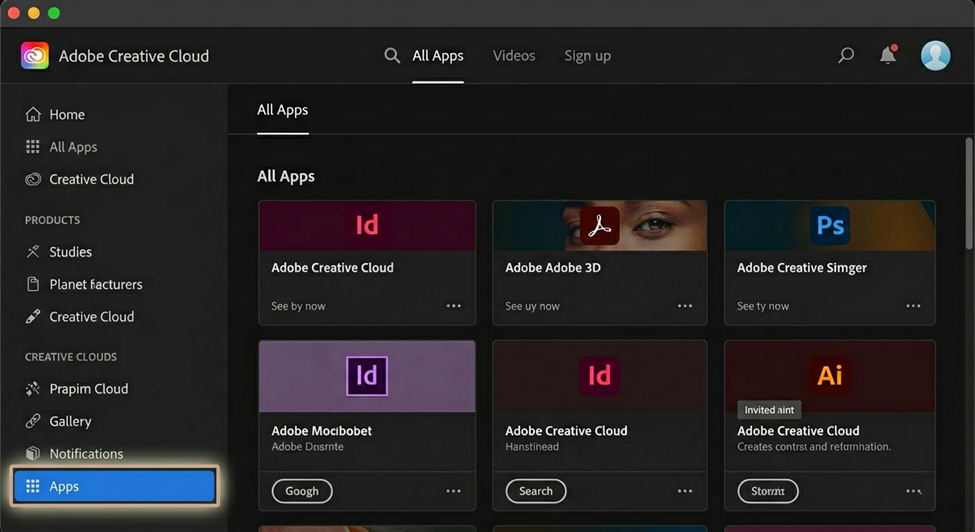
- Navigate to Apps: On the left sidebar, click on Apps.
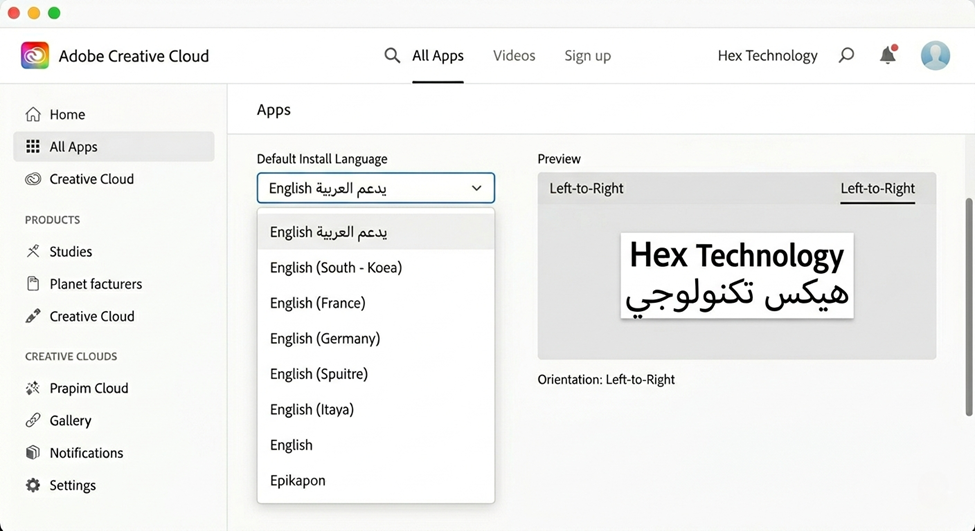
- Change Default Install Language: Look for the "Default Install Language" dropdown and select English Arabic (English يدعم العربية)
- Reinstall Your Apps: If you already have Illustrator or InDesign installed in "English North America," you must uninstall them and click Install again. This will download the Middle Eastern text engine.
2. Enabling RTL Features Inside the Apps
Once the correct version is installed, you need to activate the RTL tools within your specific workspace.
In Adobe Illustrator (Example):
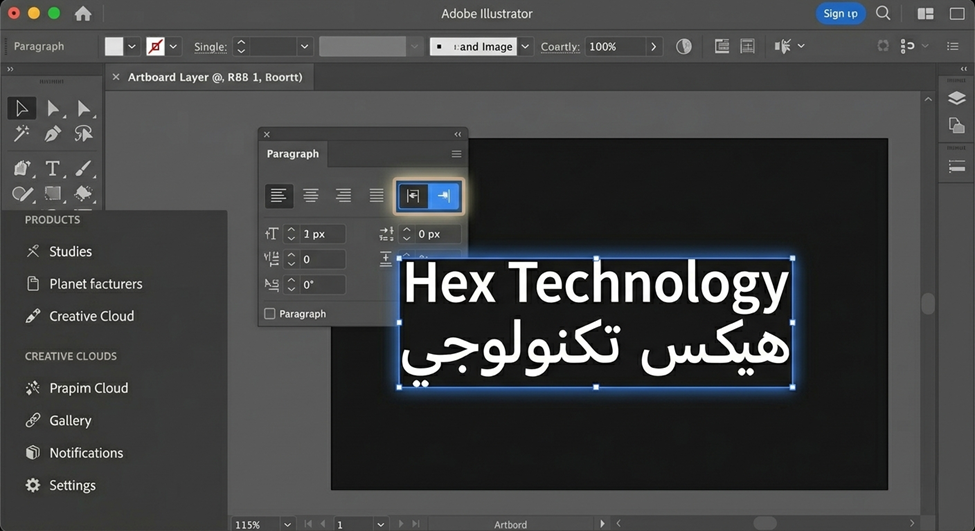
- Open your project and go to Window > Type > Paragraph.
- You will now see the Right-to-Left Paragraph Direction icons.
- Clicking these will instantly fix the alignment and text flow for Arabic script.
In Adobe InDesign (Example):
- Open the Paragraph Panel.
- Click the flyout menu (the four lines in the top right corner of the panel).
- Select Adobe World-Ready Paragraph Composer. This is crucial for InDesign to handle Arabic ligatures and punctuation correctly.
- Ensure the Right-to-Left direction is toggled on.
The best way to handle RTL languages is to treat the root of the issue. By setting your Adobe suite to "English Arabic" at the installation level, you unlock these features across all programs—from Photoshop to InDesign—without having to find individual workarounds for each.
Did it work for you?
We hope this guide helped you overcome the challenge of Arabic text in Adobe apps. If you encounter any technical issues or have specific inquiries regarding your Hex Technology settings, don’t hesitate to leave a comment below or contact us directly.
We are always here to help you create!
📍 Location: Isa Town, Bahrain.
📱 WhatsApp: +973 33217825