
Cloud storage has become the backbone of our digital lives, housing everything from personal memories to critical corporate databases. But as we embrace this convenience, a vital question lingers: Is my data actually secure? Is a provider’s reputation enough to guarantee safety?
The reality is that while providers secure the "Cloud infrastructure," you are responsible for securing what’s "inside the Cloud." This is known as the Shared Responsibility Model.
To keep your digital assets bulletproof, here are five non-negotiable best practices:
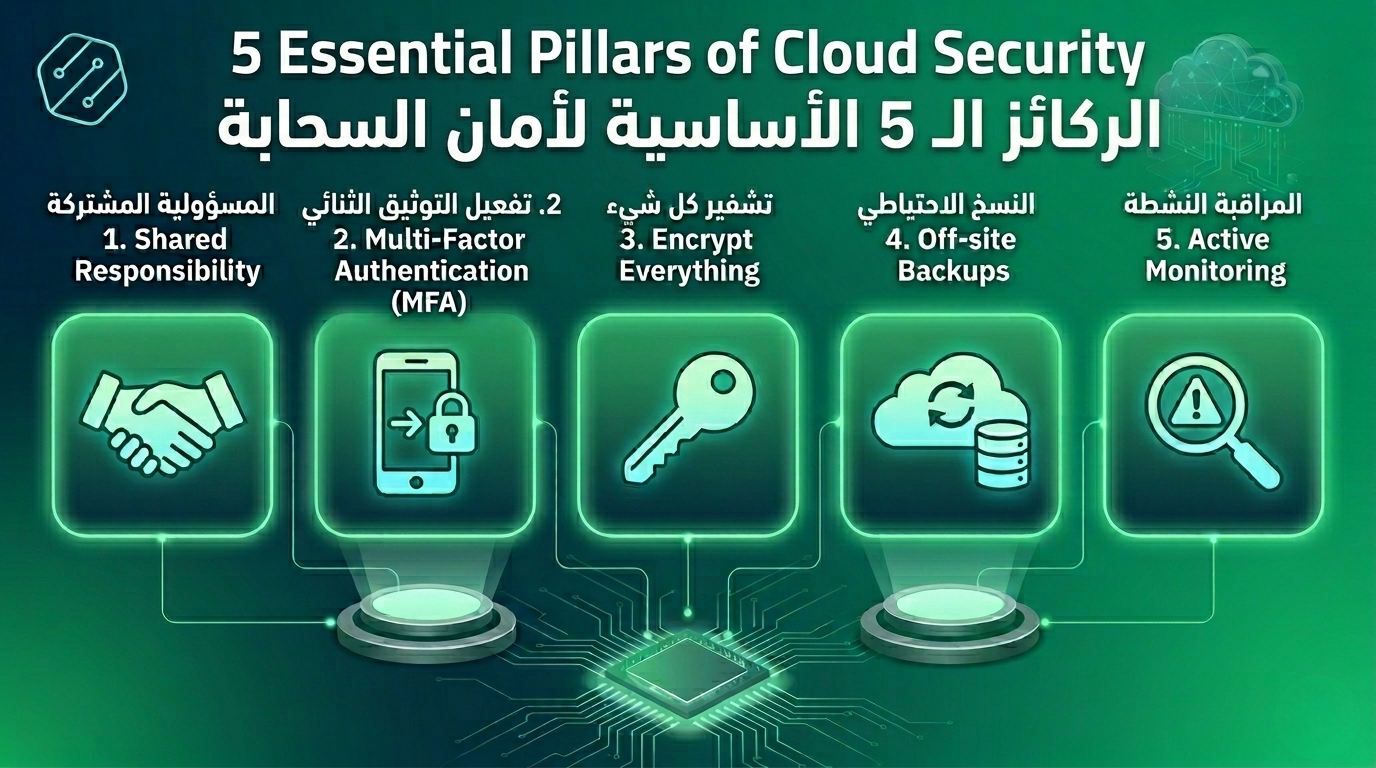
1. Don't Outsource Your Responsibility
Cloud providers guard the data centers, but you guard the gates. Most breaches aren't caused by sophisticated hacks into the provider's servers, but by user misconfigurations—like leaving a folder "public" or granting excessive permissions.
- Action: Regularly audit who has access to what, and apply the principle of "Least Privilege."
2. Fortify Your Identity (MFA is a Must)
Your login credentials are the keys to your digital estate. If they are compromised, your other security layers won't matter.
- The Fix: Use a robust password manager for unique, complex passwords. More importantly, enable Multi-Factor Authentication (MFA) across all accounts. It is the single most effective way to block unauthorized access.
3. Encryption: At Rest and In Transit
Think of encryption as your last line of defense. Even if data is intercepted, it should be unreadable.
- Best Practice: Ensure your connection is always encrypted via TLS/HTTPS. Additionally, enable "Encryption at Rest" for sensitive files and never share decryption keys through insecure channels like plain chat or email.
4. Backups: Because the Cloud Isn't Invincible
Data loss can still happen due to accidental deletion, account lockouts, or ransomware. A cloud account is not a backup; it’s a live environment.
- The Strategy: Follow the "Off-site" rule. Keep a secondary backup on a different platform or physical location, and test your recovery process regularly to ensure it actually works when needed.
5. Monitor, Detect, and Respond
Cyber threats often leave footprints: a login from an unfamiliar country or an unusual spike in data downloads.
- Stay Alert: Enable activity logs and real-time alerts. Knowing about a suspicious event the moment it happens can be the difference between a minor tweak and a major disaster.
Start Today: You don't need to be a cybersecurity pro to stay safe. Spend one hour this week auditing your permissions and turning on MFA. Your data is your most valuable asset—treat it that way.