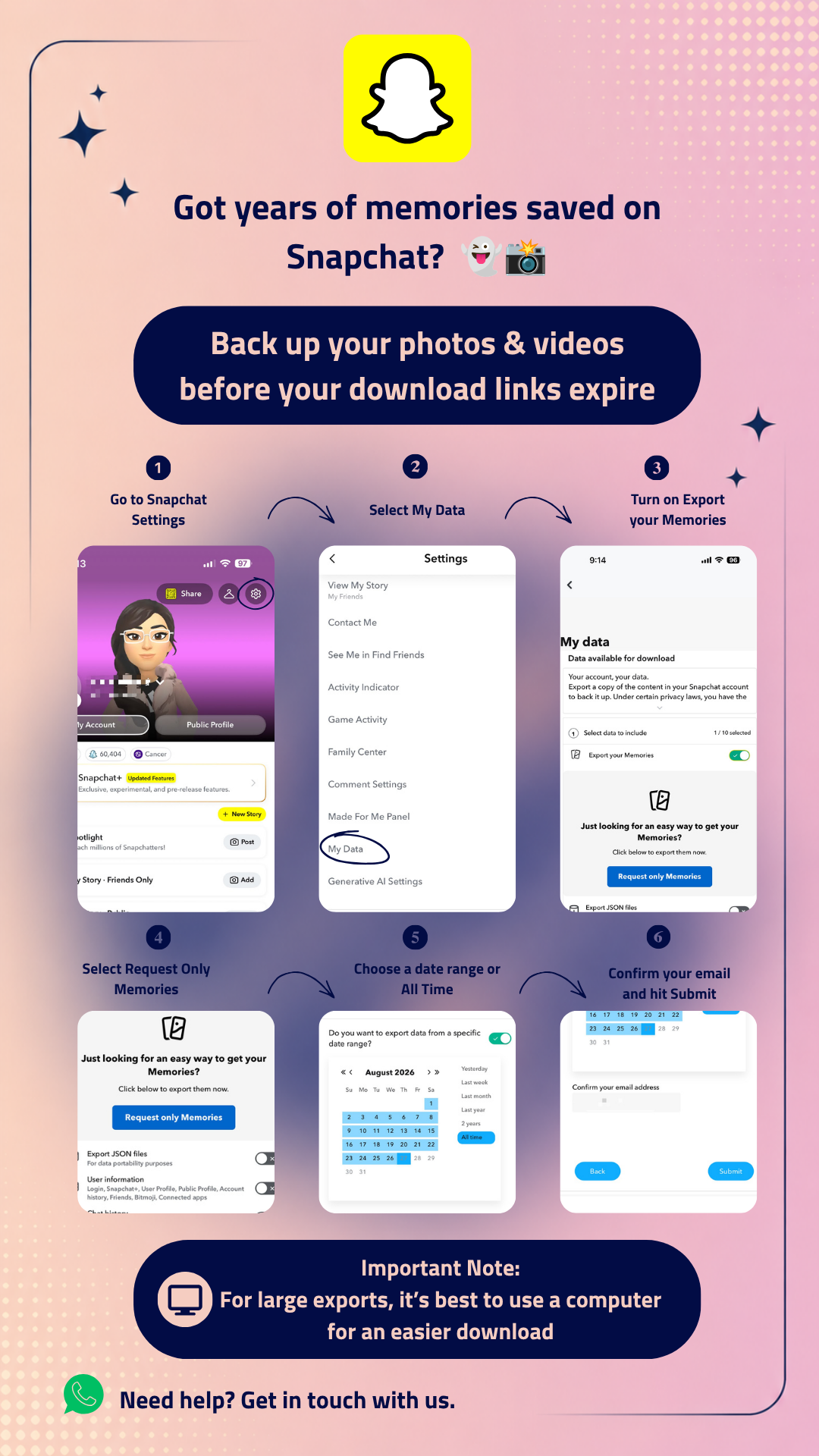
Have years of photos and videos saved in Snapchat Memories? 👻📸
With Snapchat’s updated Memories storage limits, free storage is now limited to 5GB. If your Memories exceed that limit, you may need to reduce your storage usage or upgrade to additional storage.
Before deleting anything, it’s a good idea to download a copy of your Memories and keep a backup of your photos and videos.
How to Download Your Snapchat Memories
Follow these steps:
- Open Snapchat Settings.
- Select My Data.
- Enable Export your Memories.
- Select Request Only Memories.
- Choose the date range you want, or select All Time to export all your Memories.
- Confirm your email address and click Submit.
Once your request is processed, Snapchat will send you an email when your files are ready to download.
For larger exports, your photos and videos may be split across multiple ZIP files.
For Large Exports, Use a Computer 💻
If you have a large collection of Memories, we recommend downloading the files on a computer. It makes it easier to manage multiple downloads, extract ZIP files, and check that everything has been saved correctly.
Before Deleting Anything from Snapchat
Make sure you download every ZIP file before the download links expire.
Once downloaded, extract the files and check your photos and videos to make sure your backup is complete and everything opens correctly.
Only delete content from Snapchat after you’ve confirmed that your Memories have been safely backed up.
Need Help?
If you run into any issues while requesting or downloading your Snapchat Memories, the HEX Team is here to help.