تخطي للذهاب إلى المحتوى
  • الْعَرَبيّة English (US)
Data Recovery - Hex Tech
  • 0
    عربة تسوقي
  • تسجيل الدخول
  • الرئيسية
  • معلومات عنّا!
    • معلومات عنا
  • متجرنا
  • خدماتنا
    • الخدمات
    • الدعم الفني عن بُعد
    • إصلاح البرمجيات - الأجهزة
    • فتح الهاتف
  • Donor Drives
  • قدّم حالتك!
  • المدونة
  • مساعدة
    • قدّم تذكرة
Data Recovery - Hex Tech
  • 0
    • الرئيسية
    • معلومات عنّا!
      • معلومات عنا
    • متجرنا
    • خدماتنا
      • الخدمات
      • الدعم الفني عن بُعد
      • إصلاح البرمجيات - الأجهزة
      • فتح الهاتف
    • Donor Drives
    • قدّم حالتك!
    • المدونة
    • مساعدة
      • قدّم تذكرة
  • الْعَرَبيّة English (US)
  • تسجيل الدخول

How to Download and Use HDDScan

(Step-by-Step Guide)
  • كافة المدونات
  • ​Software
  • How to Download and Use HDDScan
  • 6 يناير 2026 بواسطة
    How to Download and Use HDDScan
    Hex Technology

    How to Download and Use HDDScan (Step-by-Step Guide)

    Hard drives don’t usually fail without warning. In many cases, they start showing early signs such as slow performance, unusual noises, or read/write errors. One of the easiest ways to check your hard disk’s health is by using HDDScan, a free and reliable disk diagnostic tool.

    In this guide, we’ll show you how to safely download HDDScan and explain how it can help you monitor your hard drive’s condition.


    What Is HDDScan?

    HDDScan is a free hard drive diagnostic utility used to:

    • Check hard disk and SSD health
    • Read SMART data
    • Scan for bad sectors
    • Monitor drive temperature

    It works with:

    • HDDs
    • SSDs
    • USB drives
    • External hard disks

    ⚠️ Important: HDDScan is a diagnostic tool only. It does not repair drives or recover data.


    How to Download HDDScan (Official & Safe Method)

    To avoid fake or modified versions, always download HDDScan from a trusted source.

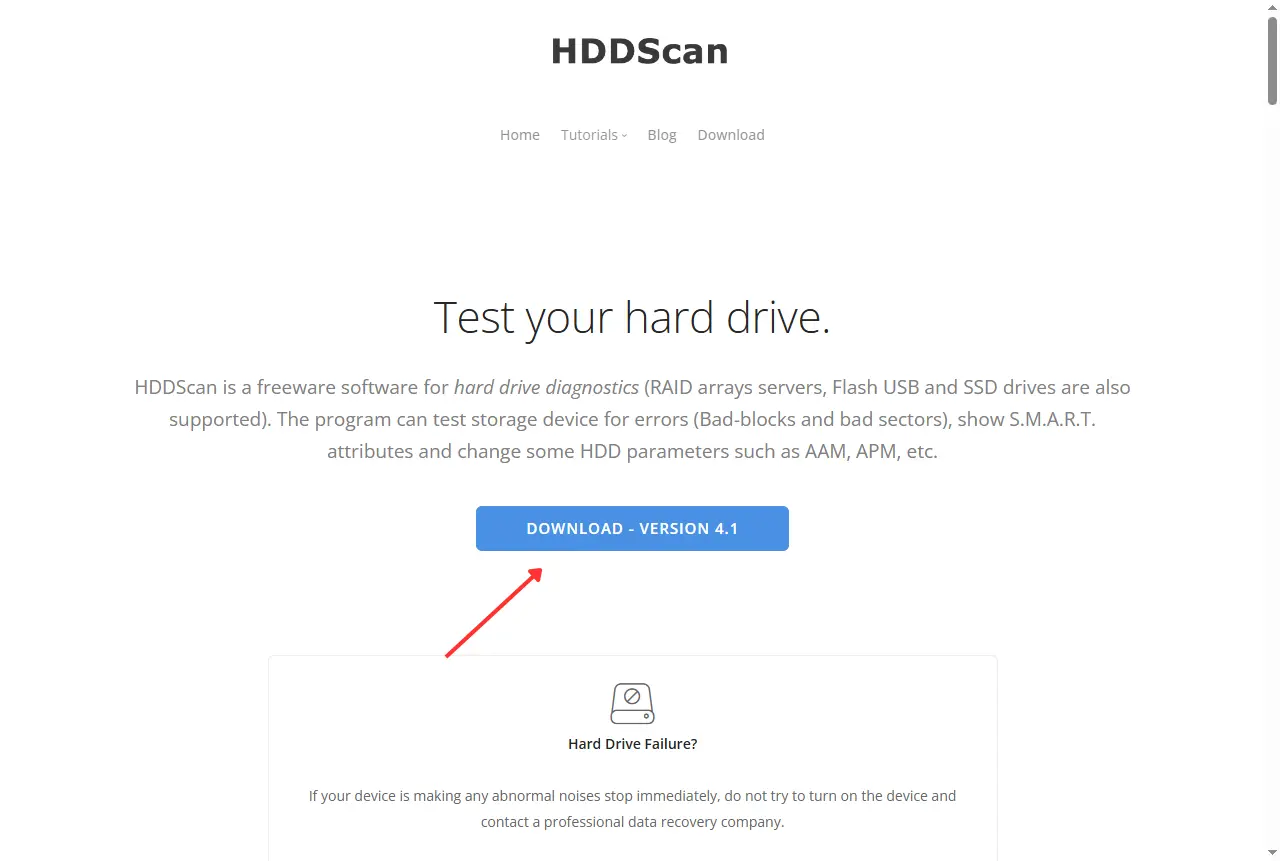
    Step 1: Visit the Official Download Page

    Open your browser and go to:

    https://www.hddscan.com/

    Step 2: Download the Latest Version


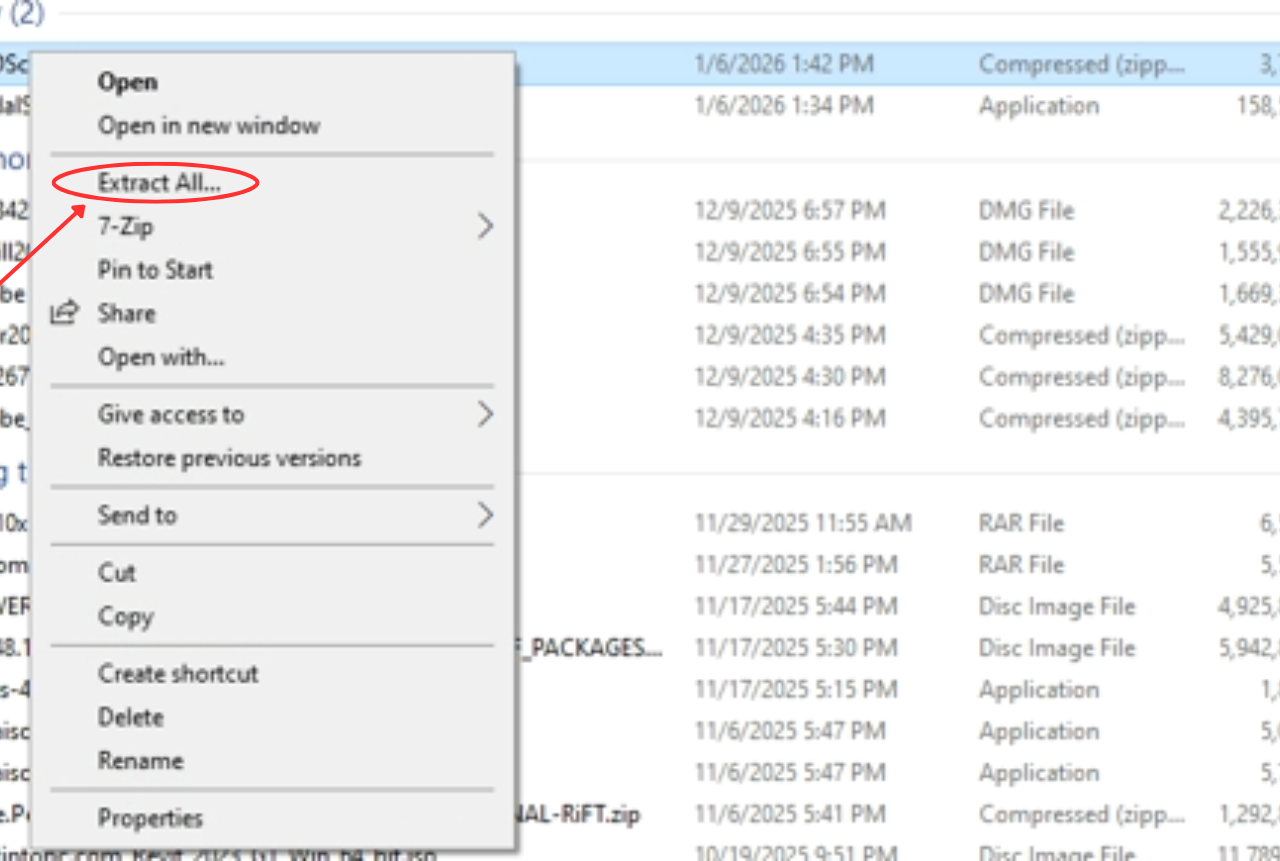
    Step 3: Extract the File

    Once the download is complete:

    1. Right-click the downloaded .zip file
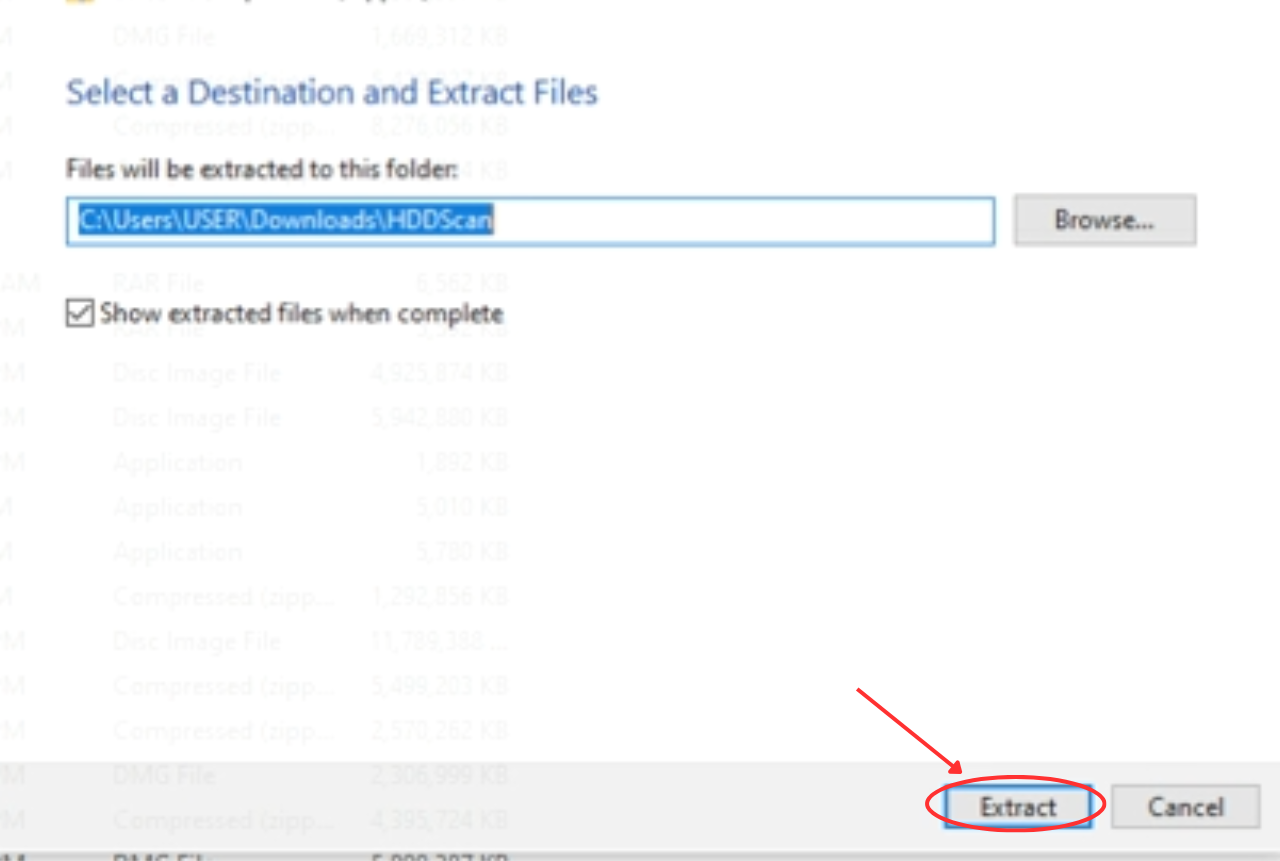
    2. Select Extract All
    3. Choose a folder and extract


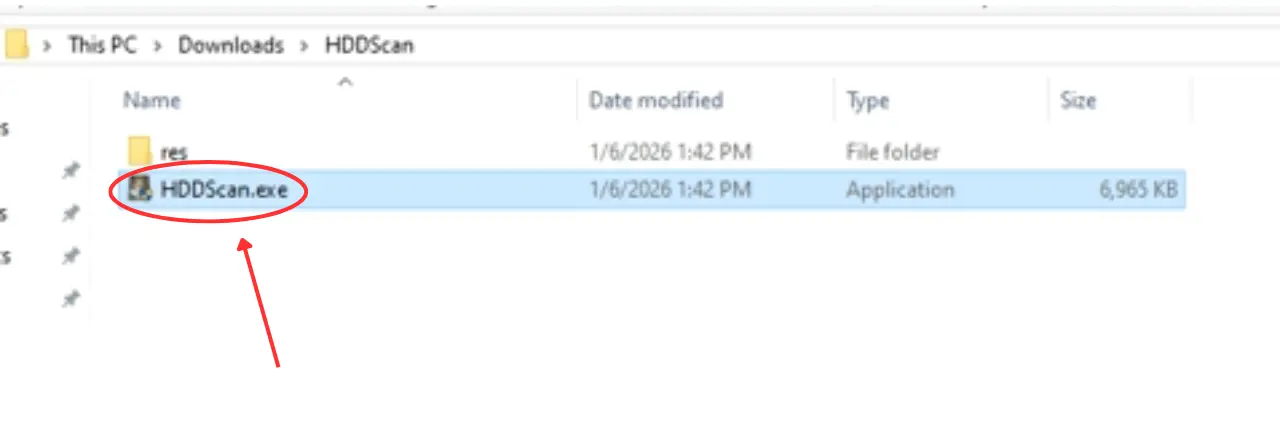
    Step 4: Run HDDScan

    1. Open the extracted folder
    2. Double-click HDDScan.exe
    3.  If Windows shows a security prompt, click Run anyway

    How to Check If Your Hard Disk Is Healthy Using HDDScan

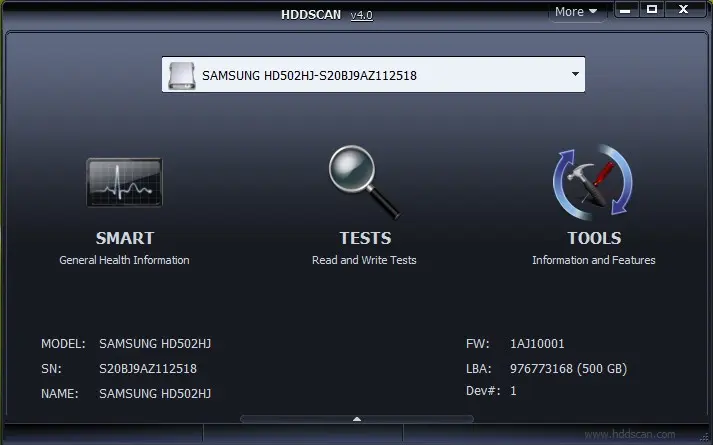
    1️⃣ Select Your Drive

    • Open HDDScan
    • Choose the correct drive from the dropdown list
      (Be careful if you have multiple drives connected)

    2️⃣ Check SMART Status

    • Click on SMART
    • Look for:
      • Reallocated sectors
      • Pending sectors
      • Read errors

    ✅ All values normal = good health

    ⚠️ Warnings or red values = risk

    3️⃣ Run a Surface Test (Optional)

    • Click Tests
    • Choose Verify or Read
    • Avoid Erase unless you know exactly what you’re doing

    This helps detect bad sectors without damaging data.

    When Should You Be Concerned?

    You should take action immediately if:

    • SMART status shows Warning / Bad
    • HDDScan reports bad sectors
    • Your drive is very slow or keeps disconnecting
    • You hear clicking or grinding noises

    ⚠️ Do not keep testing a failing drive repeatedly — this can make data loss worse.

    Important Safety Advice

    • Always back up your data first
    • Never run repair or erase tests on a failing drive
    • If your data is important, stop using the drive and seek professional help

    Need Professional Help?

    If HDDScan shows warnings or your drive is not accessible, professional data recovery may be required.

    📍 Hex Technology specializes in:

    • Hard drive data recovery
    • SSD recovery
    • External & USB drive recovery
    • Critical data cases

    📞 Contact us: +973 33217825


    في ​Software
    How to Download and Use HDDScan
    Hex Technology 6 يناير 2026
    شارك هذا المنشور

    Great stories have a personality. Consider telling a great story that provides personality. Writing a story with personality for potential clients will assist with making a relationship connection. This shows up in small quirks like word choices or phrases. Write from your point of view, not from someone else's experience.

    Great stories are for everyone even when only written for just one person. If you try to write with a wide, general audience in mind, your story will sound fake and lack emotion. No one will be interested. Write for one person. If it’s genuine for the one, it’s genuine for the rest.

    علامات التصنيف
    مدوناتنا
    • ​Software
    • Support
    • Tips and Tricks
    • Repair
    • New
    • Data Recovery
    • السفر

    DATA RECOVERY 

    We professionally recover data from Hard drives, RAID/SAN/NAS Systems, Solid State Drives, Flash drives, and Tapes and have the expertise in logical recovery from Microsoft Exchange® and Microsoft SQL® databases and the whole spectrum of file systems.

    Contact us

    روابط مفيدة ..
    • الرئيسية
    • منتجاتنا
    • خدماتنا
    • الشروط والأحكام
    تواصلوا معنا ..
    • للتواصل ..
    • info@hex.technology
    • +973 33217825
    • 📍   https://maps.app.goo.gl/UMda5YMLWfqVYQTN8

    تابعنا
    Copyright © Hex Technology
    الْعَرَبيّة | English (US)
    مشغل بواسطة أودو - Hex Technology Data Recovery Bahrain