
تخطي للذهاب إلى المحتوى
  • الْعَرَبيّة English (US)
Data Recovery - Hex Tech
  • 0
    عربة تسوقي
  • تسجيل الدخول
  • الرئيسية
  • متجرنا
  • خدماتنا
    • الخدمات
    • الدعم الفني عن بُعد
    • إصلاح البرمجيات - الأجهزة
    • فتح الهاتف
  • Donor Drives
  • قدّم حالتك!
  • المدونة
  • معلومات عنّا!
    • معلومات عنا
  • مساعدة
    • قدّم تذكرة
Data Recovery - Hex Tech
  • 0
    • الرئيسية
    • متجرنا
    • خدماتنا
      • الخدمات
      • الدعم الفني عن بُعد
      • إصلاح البرمجيات - الأجهزة
      • فتح الهاتف
    • Donor Drives
    • قدّم حالتك!
    • المدونة
    • معلومات عنّا!
      • معلومات عنا
    • مساعدة
      • قدّم تذكرة
  • الْعَرَبيّة English (US)
  • تسجيل الدخول

Microsoft Office 2021 Pro Plus (Digital Bind Key)

Lifetime License | Linked to Your Microsoft Account
  • كافة المدونات
  • ​Software
  • Microsoft Office 2021 Pro Plus (Digital Bind Key)
  • 9 سبتمبر 2024 بواسطة
    Microsoft Office 2021 Pro Plus (Digital Bind Key)
    Hex Technology
    لا توجد تعليقات بعد

    ​Enjoy peace of mind with the Microsoft Office 2021 Pro Plus Bind Key. Unlike standard keys, this license links directly to your Microsoft email account, ensuring you never lose your access—even if you format your PC or switch to a new laptop.
    Why Choose a Bind Key?

    • Lifetime Access: Pay once, use forever.

    • Device Flexibility: Easily reactivate your Office on a new device by simply logging into your account.

    • Secure & Official: Linked directly to your personal or professional Microsoft ID.


    How to Activate Your Key 
    (Step-by-Step)


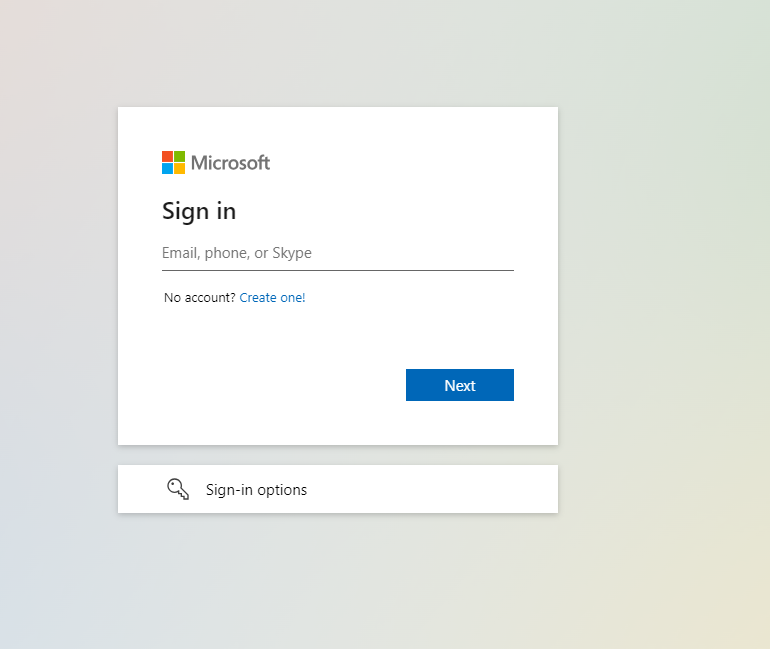
    Step 1: Prepare Your Account

    You must have a registered Microsoft email. If you don’t have one, create it here: Office.com. 
    If you already have one, simply sign in.
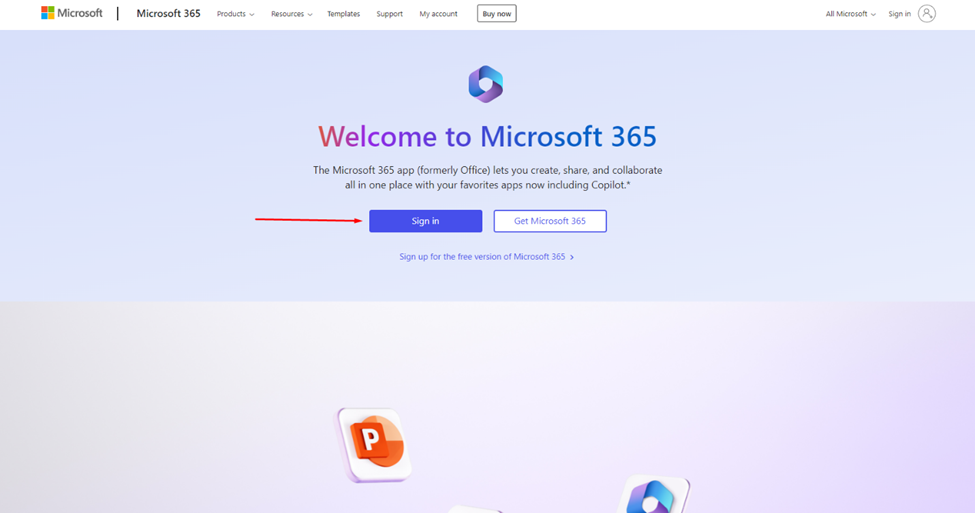
    Step 2: Redeem Your Key

    Go to setup.office.com and enter the product key you purchased from us.
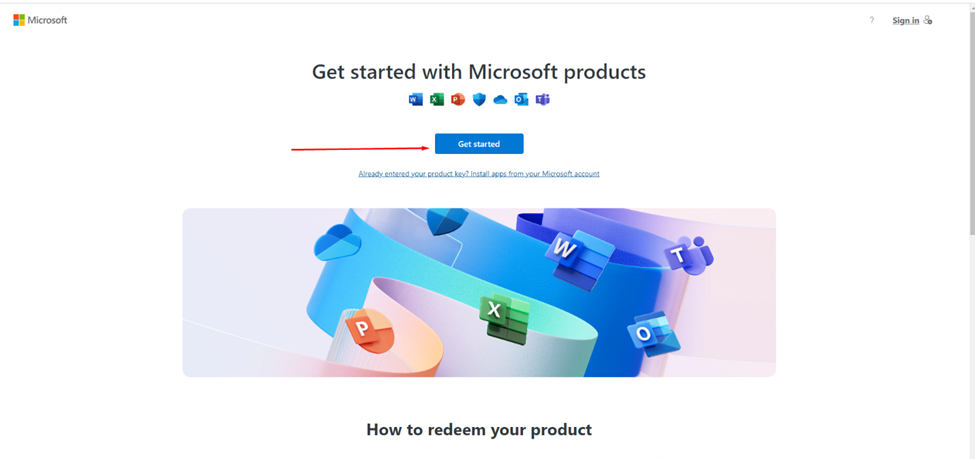

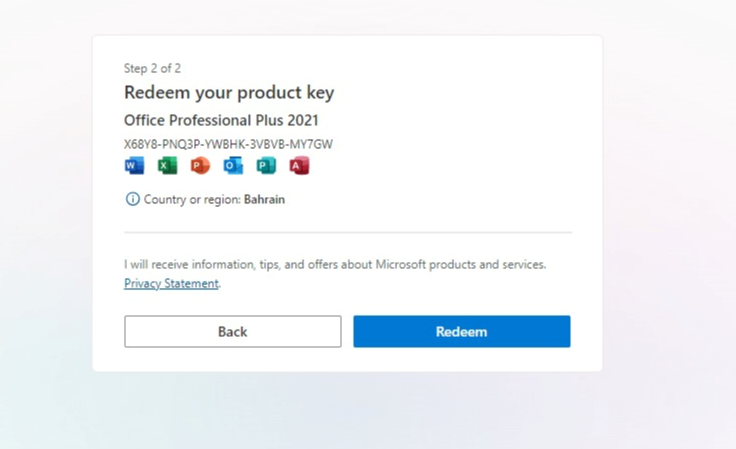
    Step 3: Confirm and Bind

    Once you enter the key, you will see a confirmation message. Click Redeem to permanently link the product to your email.

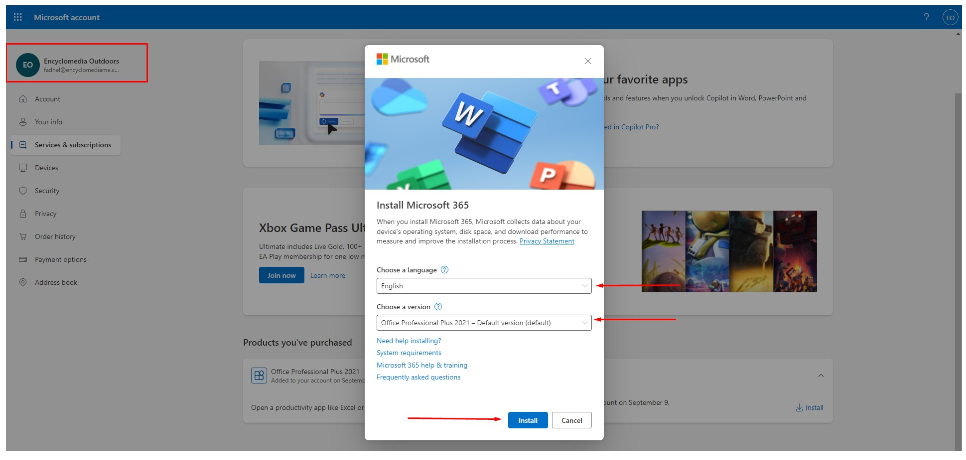
    Step 4: Installation

    Visit your Microsoft Services page: account.microsoft.com/services. You will see your purchased product listed there. Click Install.
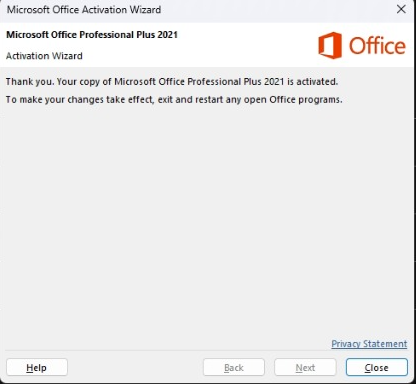
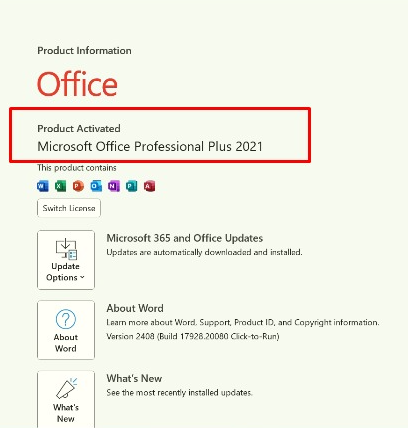
    Step 5: Finalize Setup

    Run the installer on your computer. Once finished, you will receive a "Success" message, and your Office apps are ready to use!
    Need Assistance?

    If you encounter any issues during activation, our team is ready to help you step-by-step.

    Contact Us!


    في ​Software
    Microsoft Office 2021 Pro Plus (Digital Bind Key)
    Hex Technology 9 سبتمبر 2024
    مدوناتنا
    • ​Software
    • Support
    • Tips and Tricks
    • Repair
    • New
    • Data Recovery
    • السفر
    تسجيل الدخول حتى تترك تعليقاً
    روابط مفيدة ..
    • الرئيسية
    • منتجاتنا
    • خدماتنا
    • الشروط والأحكام
    تواصلوا معنا ..
    • للتواصل ..
    • info@hex.technology
    • +973 33217825
    • 📍   https://maps.app.goo.gl/UMda5YMLWfqVYQTN8

    تابعنا
    Copyright © Hex Technology
    الْعَرَبيّة | English (US)
    مشغل بواسطة أودو - Hex Technology Data Recovery Bahrain