
Are you looking for a professional, lifetime solution for PDF editing? Nitro PDF Pro is one of the most powerful alternatives to Adobe Acrobat, offering full editing, conversion, and security features for Windows users.
Quick Facts:
Supported OS: Windows (Note: macOS is not supported for this specific version).
License Type: Lifetime Activation.
Official Downloads: [Nitro PDF Pro 14] | [Nitro PDF Pro 13]
Step-by-Step Activation Instructions
Please follow these steps carefully to ensure a successful offline/manual activation.
Step 1: Initiate Activation Install the software and select your preferred language. Once opened, navigate to the activation menu and click: Activate Now > Advanced > Manual.
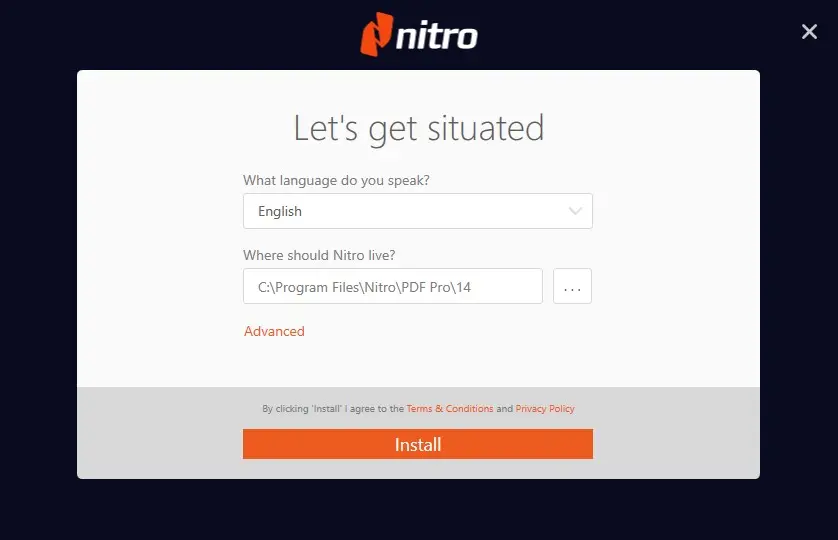
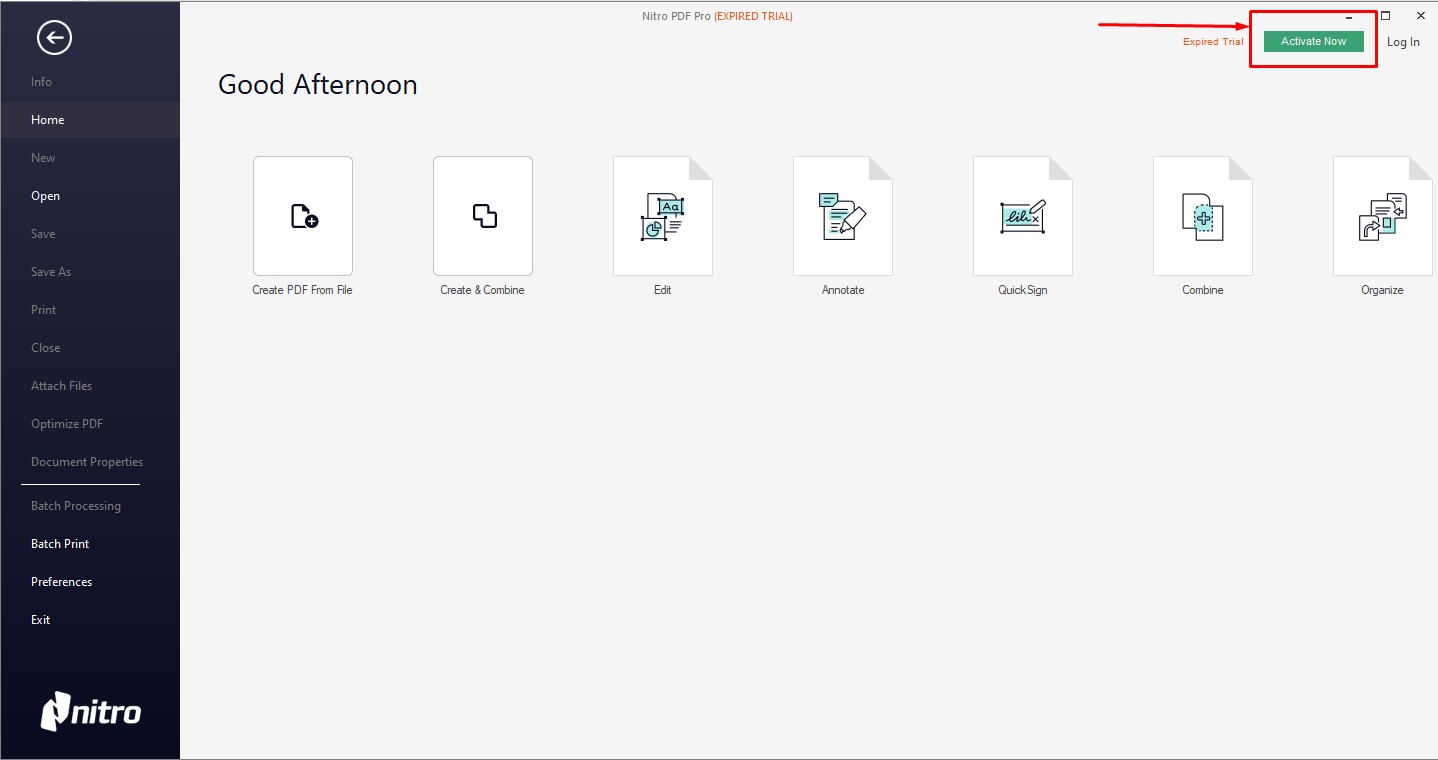
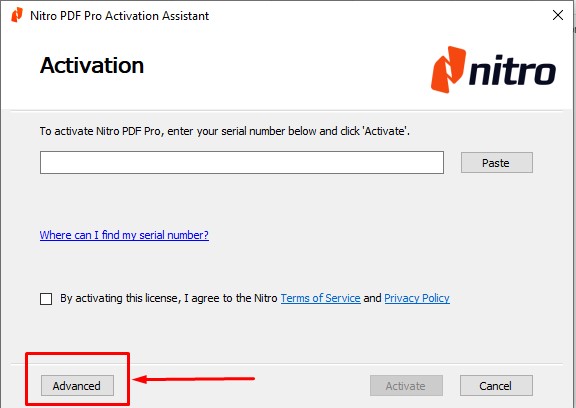
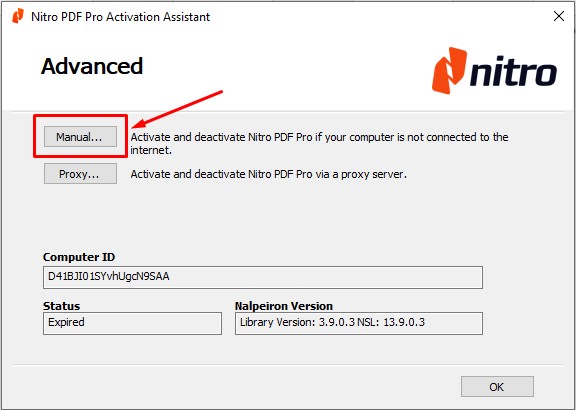
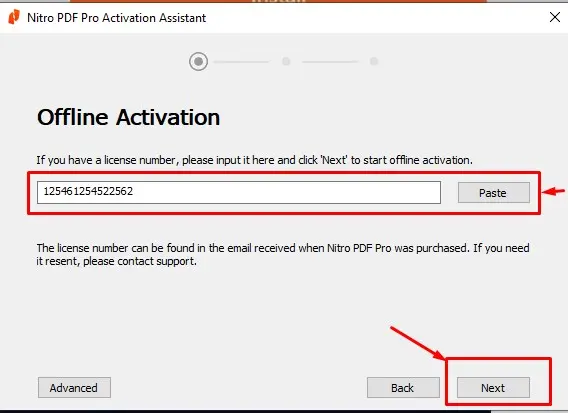
Step 2: Enter Your Serial Key Paste the digital product key provided to you by our team, then click Next.
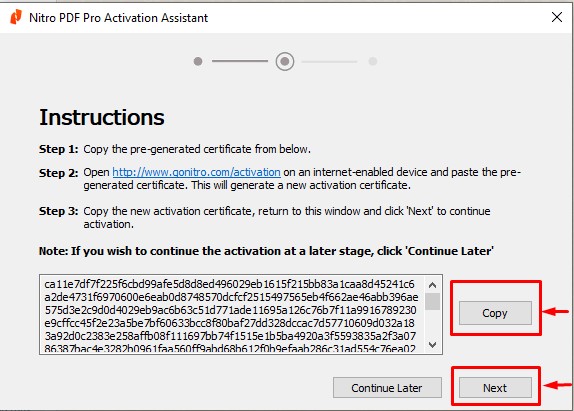
Step 3: Generate the Installation Code (Crucial Step!) The system will generate a long "Installation Code."
Click Copy to capture the entire code.
Paste the code into a Text (txt) or Word file.
Send this file to our WhatsApp: +973 33217825.
Click Next in the software, but DO NOT CLOSE THE WINDOW.
Step 4: Finalize Activation
Important: Keep the activation window open! If you close it, the code will change and we will have to restart the process.
Wait for our team to send you the Activation Certificate.
Copy the certificate code we provide and paste it into the boxes provided in the software.
Click Activate.
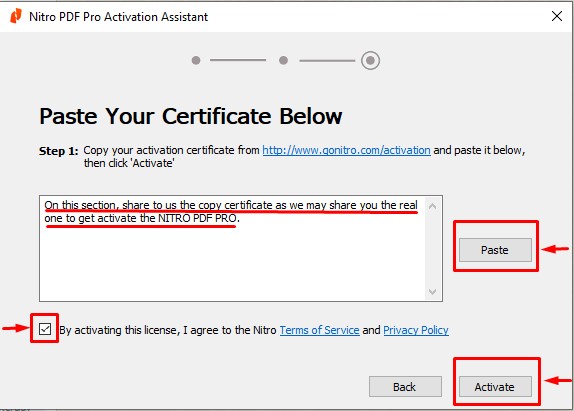
Congratulations!
Your Nitro PDF Pro is now fully activated for lifetime use.