
تخطي للذهاب إلى المحتوى
  • الْعَرَبيّة English (US)
Data Recovery - Hex Tech
  • 0
    عربة تسوقي
  • تسجيل الدخول
  • الرئيسية
  • متجرنا
  • خدماتنا
    • الخدمات
    • الدعم الفني عن بُعد
    • إصلاح البرمجيات - الأجهزة
    • فتح الهاتف
  • Donor Drives
  • قدّم حالتك!
  • المدونة
  • معلومات عنّا!
    • معلومات عنا
  • مساعدة
    • قدّم تذكرة
Data Recovery - Hex Tech
  • 0
    • الرئيسية
    • متجرنا
    • خدماتنا
      • الخدمات
      • الدعم الفني عن بُعد
      • إصلاح البرمجيات - الأجهزة
      • فتح الهاتف
    • Donor Drives
    • قدّم حالتك!
    • المدونة
    • معلومات عنّا!
      • معلومات عنا
    • مساعدة
      • قدّم تذكرة
  • الْعَرَبيّة English (US)
  • تسجيل الدخول

Accidentally Deleted Files from an SSD?

Act Now!
  • كافة المدونات
  • Support
  • Accidentally Deleted Files from an SSD?
  • 6 أغسطس 2024 بواسطة
    Accidentally Deleted Files from an SSD?
    Hex Technology
    لا توجد تعليقات بعد

    SSD drives are excellent for system performance, but they handle data deletion very differently than traditional hard drives.

    The Technical Challenge: Why SSDs are Different

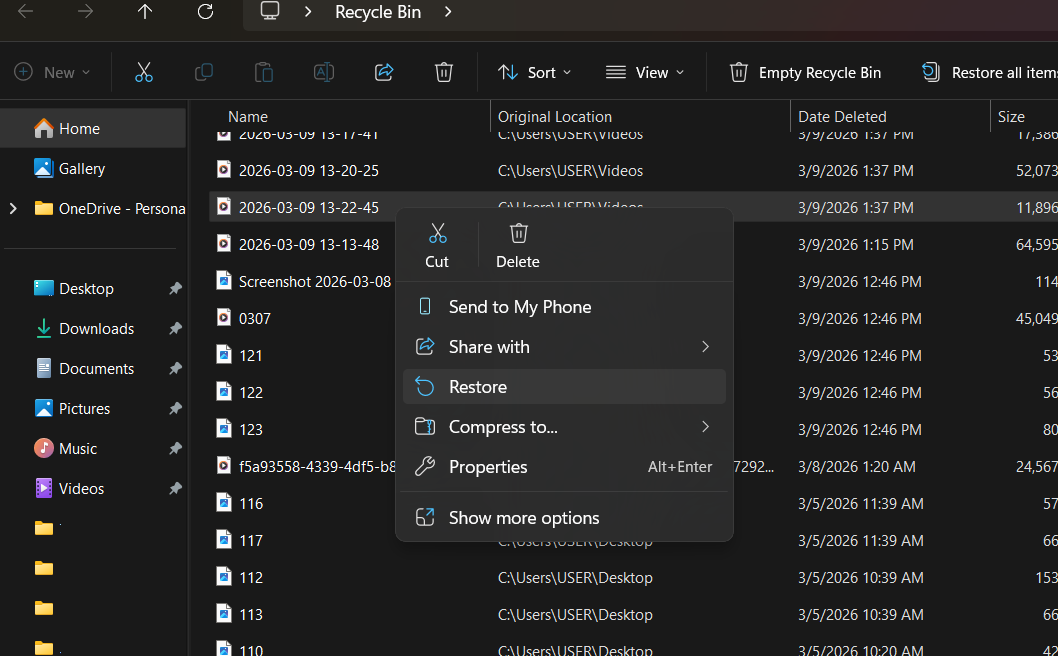
    Due to a feature called TRIM, an SSD proactively clears deleted data to maintain high speeds. Once you delete a file or format the drive, the data may only remain recoverable for a very short window—often less than 24 hours. After that, the drive permanently wipes the cells, making recovery nearly impossible.

    Immediate Action Required:

    If you realize you've accidentally deleted important files:

    1. Stop Using the Device: Every second the computer stays on, the system might permanently overwrite your lost data.

    2. Seek Professional Help: Data recovery from SSDs is highly complex. While we cannot guarantee a 100% recovery rate, our team uses specialized tools to maximize the chances of success.

    3. Remote Diagnosis: We can provide an initial assessment via AnyDesk. Access the tool here: AnyDesk Link.

    What We Need to Know:

    To assist you better, please provide the following details:

    • The exact method of deletion (Manual delete or Formatting).

    • The original location of the files.

    • How many hours/days have passed since the deletion.

    Our Recommendation:

    SSDs are built for speed, not for long-term safe storage of single-copy data. Always maintain a secondary backup. Don't rely on one; having two backups is much better.


    في Support
    Accidentally Deleted Files from an SSD?
    Hex Technology 6 أغسطس 2024
    مدوناتنا
    • ​Software
    • Support
    • Tips and Tricks
    • Repair
    • New
    • Data Recovery
    • السفر
    تسجيل الدخول حتى تترك تعليقاً
    روابط مفيدة ..
    • الرئيسية
    • منتجاتنا
    • خدماتنا
    • الشروط والأحكام
    تواصلوا معنا ..
    • للتواصل ..
    • info@hex.technology
    • +973 33217825
    • 📍   https://maps.app.goo.gl/UMda5YMLWfqVYQTN8

    تابعنا
    Copyright © Hex Technology
    الْعَرَبيّة | English (US)
    مشغل بواسطة أودو - Hex Technology Data Recovery Bahrain