
عند الترقية من نسخة Windows Home إلى نسخة Windows Pro في بعض الأنظمة القديمة، قد تواجه خطأً يتسبب في رفض النظام لقبول مفتاح التنشيط الجديد مباشرة. يحدث هذا غالباً بسبب عدم تحديث النظام أو كونه "مقفلاً" على إصداره الحالي.
كيف تجبر النظام على الترقية؟
لحل هذه المشكلة، ستحتاج إلى إعادة تعيين مدير التراخيص (Licensing Manager) واستخدام مفتاح ترقية مؤقت وعام (Staging Key) لفتح ميزات نسخة الـ Pro.

الإرشادات خطوة بخطوة:
قم بتشغيل موجه الأوامر (CMD) كمسؤول (Run as Administrator)، ثم انسخ كتلة الأوامر البرمجية التالية والصقها دفعة واحدة:

slmgr.vbs /upk
slmgr.vbs /cpky
sc config LicenseManager start= auto & net start LicenseManager
sc config wuauserv start= auto & net start wuauserv
changepk /productkey VK7JG-NPHTM-C97JM-9MPGT-3V66T
net start sppsvc
cscript %windir%\system32\slmgr.vbs /rilc
ماذا سيحدث بعد ذلك؟
- بمجرد بدء العملية، سيبدأ نظام ويندوز مباشرة في مرحلة الترقية (Upgrading Phase).

- 2. قد يظهر نظامك مؤقتاً تحت مسمى Windows Enterprise؛ هذا أمر طبيعي جداً وجزء من مرحلة الإعداد المؤقتة.
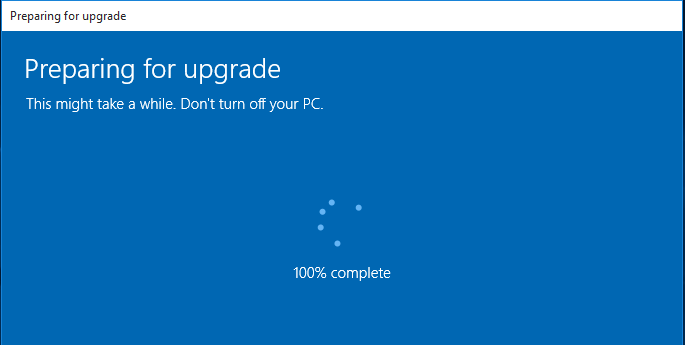
- 3. الخطوة النهائية: بعد اكتمال الترقية، قم بإدخال مفتاح المنتج الأصلي الذي اشتريته من متجرنا. سيؤدي هذا إلى إنهاء التنشيط النهائي وإعادة النظام إلى وضعه الدائم والمستقر كنسخة Windows Pro.
ارتقِِ بإنتاجيتك مع هيكس تكنولوجي!
ينبغي أن يكون الانتقال إلى نظام Windows Pro خطوة سلسة نحو أمان أفضل وإنتاجية أعلى، ولكن العقبات التقنية المفاجئة تحوله أحياناً إلى تجربة محبطة.
ونحن في هيكس تكنولوجي، متخصصون في حل عقبات التنشيط المعقدة وتعارض التراخيص التي تمنع نظامك من الوصول إلى كامل قدراته. نحن نعتمد على أدوات تشخيصية متطورة لتنظيف أخطاء سجل النظام (Registry) والتأكد من جاهزية عتادك للنسخة الاحترافية من ويندوز. لا تضيع ساعات طويلة في البحث داخل المنتديات المربكة أو تخاطر باستخدام حلول غير رسمية؛ تفضل بزيارتنا في البحرين اليوم للحصول على تجربة احترافية وسلسة، ودع فريقنا يقدم لك الخبرة المتخصصة اللازمة لترقية نظامك إلى Windows Pro بنجاح وأمان تام.
Should you need any assistance, please feel free to reach out to us..