Skip to Content
  • الْعَرَبيّة English (US)
Data Recovery - Hex Tech
  • 0
    My Cart
  • Sign in
  • Home
  • About Us!
    • About Us
  • Our Shop
  • Our Services
    • Services
    • Remote IT Support
    • Software -  Hardware Repair
    • Unlock Phone
  • Donor Drives
  • Submit your case!
  • Our Blog
  • Help
    • Submit a Ticket
Data Recovery - Hex Tech
  • 0
    • Home
    • About Us!
      • About Us
    • Our Shop
    • Our Services
      • Services
      • Remote IT Support
      • Software -  Hardware Repair
      • Unlock Phone
    • Donor Drives
    • Submit your case!
    • Our Blog
    • Help
      • Submit a Ticket
  • الْعَرَبيّة English (US)
  • Sign in

Deleted Files accidentally from Laptop or PC and its operate with hard disk SSD

The SSD hard drive are good for computer performance but not for storing datas.
  • All Blogs
  • Support
  • Deleted Files accidentally from Laptop or PC and its operate with hard disk SSD
  • August 6, 2024 by
    Deleted Files accidentally from Laptop or PC and its operate with hard disk SSD
    Hex Technology

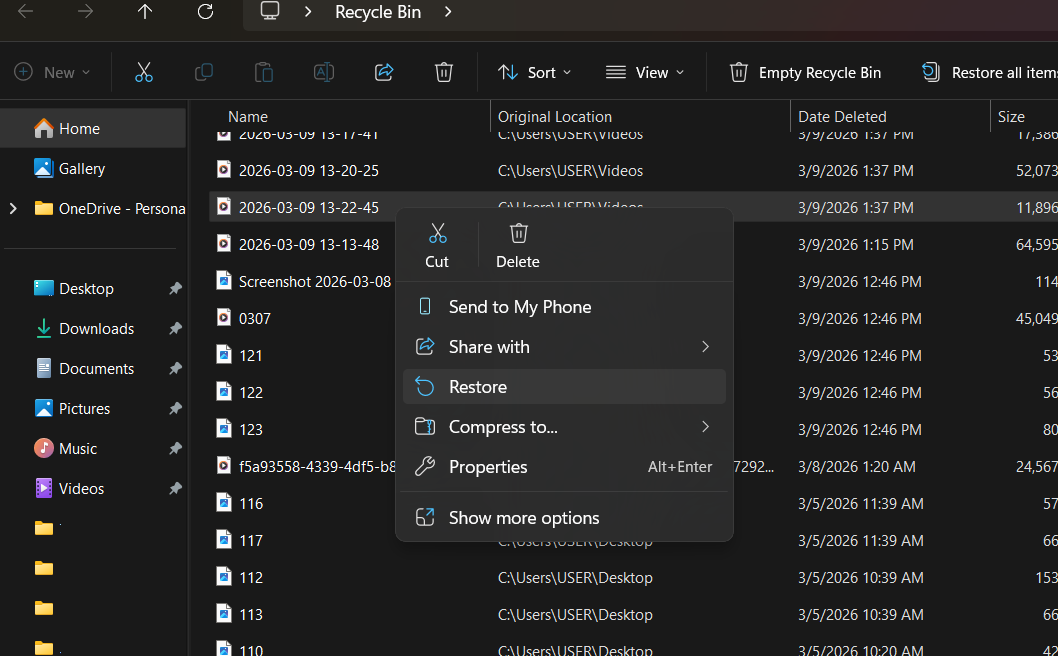
    ​ ​No one intended to lose the data that accidentally deleted or formatted. With these situation honestly, we the Data Recovery Center can not guaranteed the data's deleted and even formatted will come back, if the hard disk is SSD. Because with this new technology of hard drive "SSD" once the data are been deleted or formatted, the data from SSD can keep for less hours or reaching 24 hours of time. During the time period once the data accidentally deleted maybe you can still get but still not sure if it will work because sometimes the datas recover are corrupted. So if you encounter this issue seek immediately for help  from the professional Data Recovery Center on how to recover the datas.  With them they may assist you thru online check up via Any desk at this link https://www.hex.technology/blog/support-6/download-anydesk-link-19 you can  follow. So by the initial checking we can define if can still recover the datas or not. Just mention of what happen and where is the location and even the time when was deleted because its need the team to understand on how they may resolve the  problem. 

    So for all SSD Users make it sure you do backup for all of your important datas because once the mistakes happen we can not return it back. Unless there is another solutions was made of. Reminder always to do have backup the datas. Don't rely on one backup make it two much better. 


    in Support
    Deleted Files accidentally from Laptop or PC and its operate with hard disk SSD
    Hex Technology August 6, 2024
    Share this post

    Great stories have a personality. Consider telling a great story that provides personality. Writing a story with personality for potential clients will assist with making a relationship connection. This shows up in small quirks like word choices or phrases. Write from your point of view, not from someone else's experience.

    Great stories are for everyone even when only written for just one person. If you try to write with a wide, general audience in mind, your story will sound fake and lack emotion. No one will be interested. Write for one person. If it’s genuine for the one, it’s genuine for the rest.

    Tags
    Our blogs
    • ​Software
    • Support
    • Tips and Tricks
    • Repair
    • New
    • Data Recovery
    • Our blog

    DATA RECOVERY 

    We professionally recover data from Hard drives, RAID/SAN/NAS Systems, Solid State Drives, Flash drives, and Tapes and have the expertise in logical recovery from Microsoft Exchange® and Microsoft SQL® databases and the whole spectrum of file systems.

    Contact us

    Useful Links
    • Home
    • Products
    • Services
    • Terms & Conditions
    Get In Touch ..
    • Contact us
    • info@hex.technology
    • +973 33217825
    • 📍   https://maps.app.goo.gl/UMda5YMLWfqVYQTN8

    Follow us
    Copyright © 2026 Hex Technology
    الْعَرَبيّة | English (US)
    Powered by Odoo - Hex Technology Data Recovery Bahrain